

SAP IDM Transition · 7 min read
Why You Should Test the SuccessFactors HR Feed Before You Replace SAP IDM
SAP ends mainstream maintenance for SAP IDM in 2027, so most SAP teams are now planning its replacement. In that project, the SAP IDM SuccessFactors feed deserves the most testing, because every joiner, mover and leaver decision starts with an HR record. If the feed is wrong, a future-dated hire can start day 1 with no access, and a late termination can leave a leaver active. Test the feed before cutover: run at least 6 scripted tests, reconcile the population, shadow production, then cut over in waves. With Anugal, each of those steps produces an access decision you can trace back to the HR event.
Why is the HR feed the riskiest part of an SAP IDM replacement?
It fails quietly and surfaces later as wrong access. In a documented Integration Center case, future hires come back with blank fields because the query reads only currently effective records (SAP KBA 2965443).
SAP IDM's feed logic also carries years of history: initial and delta loads from Employee Central, custom scripts and, where SAP Access Control is connected, risk-analysis calls before provisioning. Map every job and script on the feed path, migrate the business requirement rather than the workaround, and prove the SoD check still runs after cutover.
If the HR feed is wrong, every access decision after it is wrong too.
Which SAP IDM SuccessFactors tests should you run before cutover?
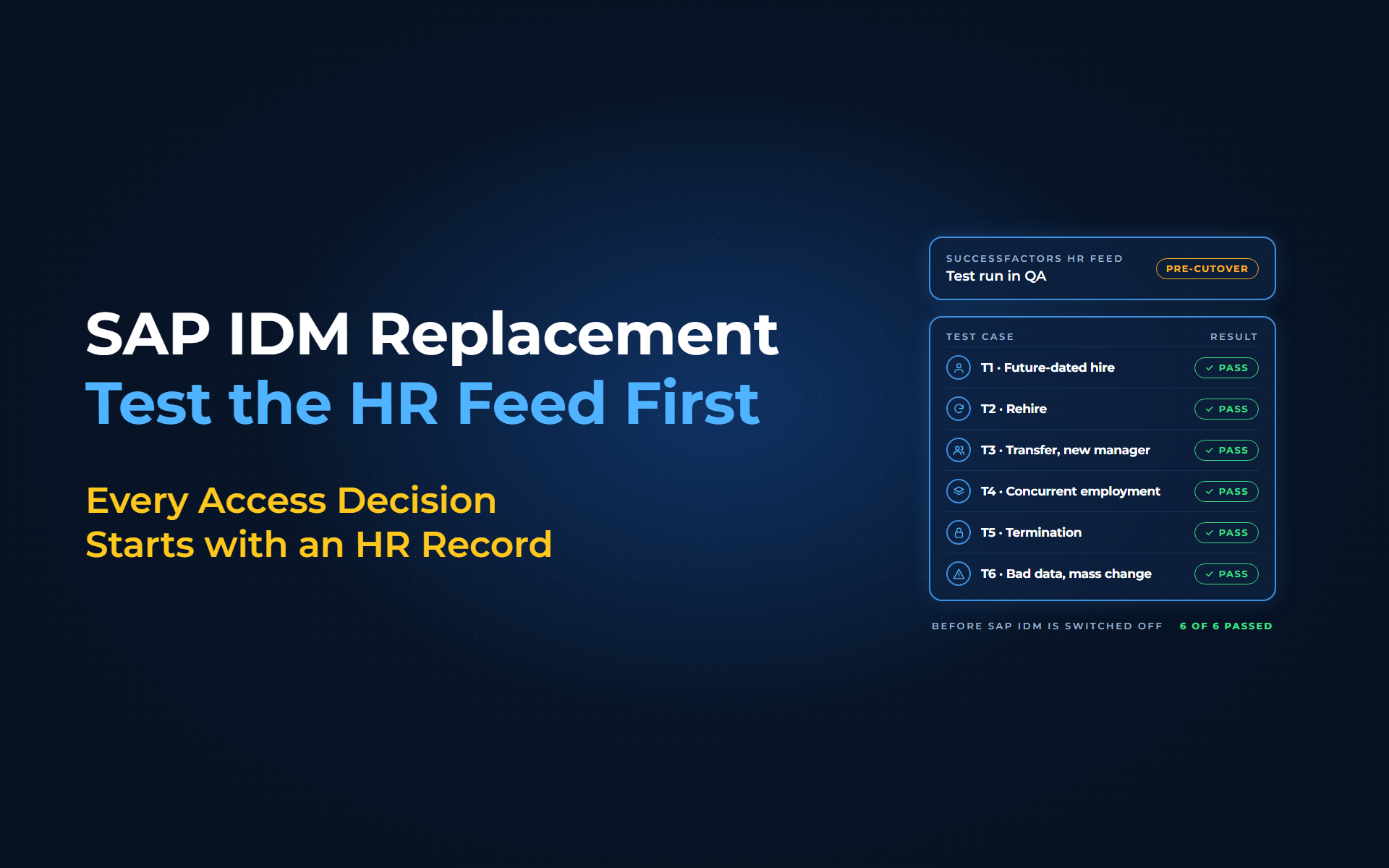
Run at least 6 scripted tests in a SuccessFactors test instance, through both SAP IDM QA and the new platform, against non-production targets. Each test should prove an access outcome, not a successful data transfer.
| Test case | Pass when |
|---|---|
| T1. Future-dated hire, then postponed or cancelled | The account is created early but not usable until the start date; a cancelled hire leaves no active account |
| T2. Rehire | The person keeps 1 identity through a tested correlation rule, and old access is not restored by default |
| T3. Future-dated transfer with a manager change | Old access is removed on the effective date and confirmed in the target; the new manager owns the next review |
| T4. Global assignment or concurrent employment | Access follows your documented rule and the identity stays single |
| T5. Termination, same-day and future-dated | The user is locked at the end of the last working day in local time |
| T6. Bad data and mass change | The bad record goes to an owner; an abnormal volume of terminations halts processing |
Most failures in these tests trace back to 2 behaviours in SuccessFactors itself:
- Start-date changes:
When a hire's start date moves, SAP documents that the record can "appear in the active search from the initial date" (SAP KBA 2545296). Your new platform should therefore activate the account from the start date in the employment record, not from the user's status. - Multiple employment records:
Rehires and global assignments create a second employment record, and SuccessFactors does not guarantee the order in which these records are returned. A rule that always reads the first or last record can pick up the old job instead of the current one.
Passing these scenario tests still does not prove that every identity was migrated correctly. For that, reconcile the full identity store against the new platform, with counts, before go-live and after each wave.
How should both platforms run before cutover?
Run the new platform in production in shadow mode, with writeback switched off, and compare the access it would grant or remove with what SAP IDM did. Never let both engines write to the same production targets.
SAP IDM is not the answer key; its output may carry legacy defects. Classify every difference as a new-platform defect, a legacy defect or an HR data issue, and give each an owner. Then cut over in waves, with a rollback path for each wave until its reconciliation is signed off.
How Anugal makes the HR-driven cutover provable
Picture a hire entered in SAP SuccessFactors Employee Central with a start date 3 weeks out. With Anugal, the agentic identity governance and access orchestration platform from Business Core Solutions, that HR record drives the whole lifecycle:
- HR is the trigger:
Employee Central is the HR source for joiner, mover and leaver events, so the hire reaches Anugal from the HR record, not from a ticket. Role, position and employment status drive the access decision. - Governance before execution:
Anugal evaluates policies, approvals and role logic before it creates, changes or revokes access. When the account is created and when it becomes usable are design rules, and T1 proves them. - Movers lose what they no longer need:
When role, department or location changes, Anugal's JML automation recalculates access and removes entitlements the new role doesn't need. T3 checks the timing in the target system. - Leavers are revoked across systems:
A termination event triggers revocation across connected applications, not only SAP. T5 confirms it happens on the day you defined. - Every difference has an explanation:
Anugal logs each create, change or revoke with its context and justification, so when parallel-run output differs from SAP IDM, you can see why Anugal decided what it did. - A staged move off SAP IDM:
We move you off SAP IDM in validated phases, with parallel operations where needed. Our team or an Anugal partner leads the assessment with your HR and SAP security leads.
Anugal doesn't fix wrong HR data; HR owns the record, and your SAP security team owns the role design that position data maps to.
Plan your HR-feed tests before cutover
From an untested HR feed to a cutover you can prove
Run the SAP IDM SuccessFactors tests T1 to T6, reconcile the population and close every difference with a named owner. Keep the scripts, counts and sign-offs together; that is what an auditor typically samples. Start with an SAP IDM readiness assessment, and if you want to see how a governed JML flow handles HR events before cutover, let's get you a working demo, or write to info.anugal@businesscoresolutions.com.
Common questions about the SAP IDM SuccessFactors feed
Why should you test the SuccessFactors HR feed before replacing SAP IDM?
Every joiner, mover and leaver decision starts with the HR record. Documented SuccessFactors and connector behaviors, such as blank fields on future hires, extra employment records when a rehire reuses the profile and early disabling of leavers, can give people the wrong access, so prove the outcomes before SAP IDM is switched off.
Which SuccessFactors events need the most testing?
Test future-dated hires that are postponed or cancelled, rehires, future-dated transfers, global assignments or concurrent employment, terminations, and bad data including a mass change. These 6 are the minimum. Most are backed by documented SuccessFactors or connector behavior; the transfer and bad-data tests are our recommendation.
Can we cut over before the HR feed is tested end to end?
No. Without the scripted tests and a full-population reconciliation, you can't show that the new platform produces the agreed accounts, roles, lock status and validity dates. Run the tests in a test environment first, then shadow production and give every difference a named owner.
How long should SAP IDM and the new platform run in parallel?
Run them until no defect stays open for an agreed number of cycles, inside an agreed window, with sign-off. Keep SAP IDM current, because in delta mode it can only pick up changes up to 3 months into the past, unless you run a full load (Reset Delta, then Initial Load).
When can we switch SAP IDM off?
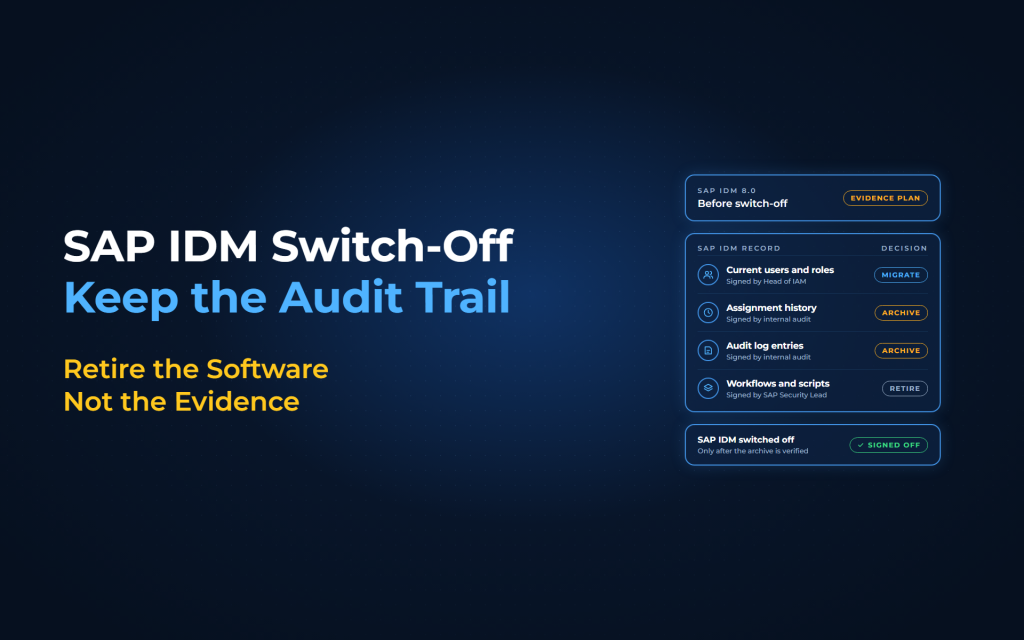
Switch SAP IDM off when the new platform produces the agreed outcomes, every difference from SAP IDM is explained and approved, the full population reconciles, and the people accountable for access have signed off. Cut over in waves, with a rollback path for each wave.
Sources
- SAP KBA 2965443 (https://userapps.support.sap.com/sap/support/knowledge/en/2965443). Supports that future hires come back with blank fields in an Integration Center case because the query reads only currently effective records (implicit asOfDate of today).
- SAP Community, SAP Identity Management topic page (https://pages.community.sap.com/topics/identity-management). Supports the end of mainstream maintenance for SAP Identity Management in 2027.
- SAP Help, SAP IDM integration with SuccessFactors Employee Central (https://help.sap.com/docs/SAP_IDENTITY_MANAGEMENT/4773a9ae1296411a9d5c24873a8d418c/4c54e007ab414f7da3854952cad00221.html). Supports the initial load and delta load from Employee Central.
- SAP Help, SAP IDM configuration scenarios with SAP Access Control (https://help.sap.com/docs/SAP_IDENTITY_MANAGEMENT/4773a9ae1296411a9d5c24873a8d418c/f081e821aae34475809ca79165ecac67.html). Supports that SAP IDM can send privilege requests to SAP Access Control for risk analysis and provision based on the result.
- SAP KBA 2545296 (https://userapps.support.sap.com/sap/support/knowledge/en/2545296). Supports that, with Onboarding enabled, a postponed hire can appear active from the original start date in the stated configuration. The KBA is undated.
- Microsoft Learn, SAP SuccessFactors integration reference (https://learn.microsoft.com/en-us/entra/identity/app-provisioning/sap-successfactors-integration-reference). Documents Microsoft’s Entra ID connector for SuccessFactors (not SAP IDM behavior). Supports cancelled onboarding needing out-of-band handling, extra employment records on rehire and global assignment, unguaranteed record order, and the early-disable known issue.
- SAP Help, initial load job in delta mode (https://help.sap.com/docs/SAP_IDENTITY_MANAGEMENT/4773a9ae1296411a9d5c24873a8d418c/e40b642f525947c79bd5c3bb3b40750b.html). Supports the 3-month limit on delta loads and the full-load workaround (Reset Delta job, then Initial Load job).
- Anugal, Joiner-Mover-Leaver (JML) Automation page (https://anugal.ai/joiner-mover-leaver-jml-automation/). Supports that Anugal detects JML events from HR systems, reads role and position data, evaluates policies, approvals and role logic before create, modify or revoke actions, recalculates access when roles, departments or locations change, removes outdated entitlements, and logs lifecycle actions with context, traceable to workforce events and policies.
- Anugal press release, 14 Oct 2026 (https://www.prnewswire.com/news-releases/anugal-introduces-agentic-ai-led-iga-modernization-strategy-replace-migrate-or-extend-302908088.html). Supports that Anugal migrates in validated phases (then verifies access, controls and audit readiness and retires legacy components after sign-off) and that parallel operations can support continuity where needed.