

SAP access reviews · 6 min read
The SAP Access Review Line a Business Owner Can Answer
What does an SAP access review business owner need to see on each line? What the role lets the person do, in business terms, and who owns the decision. With Anugal, each line reaches its named owner with a plain-language description, SoD risk and usage context.
It is the last week of the campaign, and the head of accounts payable is down to one line. K. Brandt, role Z_FI_AP_PROC_DE01, system S4P, Approve or Revoke. She has worked with Brandt for six years, trusts him completely, and has never once seen that role code before. So she does what every reviewer does when the deadline is close and the line tells her nothing: she approves it and moves on.
Four months later the audit sample lands on exactly that line, and the question is a hard one. Why could Brandt change a supplier's bank details and also run the payment program that pays to them? She had no way of knowing, because the review never told her what the role allowed. The business knew every one of those facts. The role code hid them.
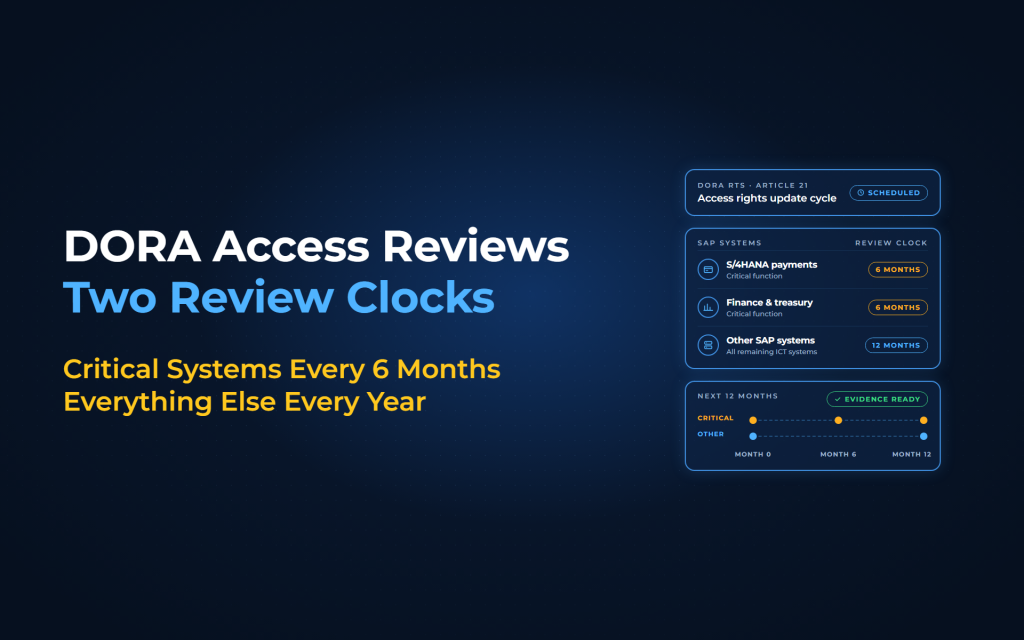
For financial entities in the EU, this is no longer a matter of good practice alone. DORA's technical standard, Commission Delegated Regulation (EU) 2024/1774, Article 21, requires assigned “roles and responsibilities for granting, reviewing, and revoking access rights”, together with an update of access rights at least yearly, and at least every six months for systems supporting critical or important functions (see the 6-month DORA cycle). A named owner who cannot answer for a line is a gap in that control, not merely an awkward audit moment.
What does a review line look like when the owner can answer it?
Take Brandt's line and annotate it in the owner's own words, and the difference between what she saw and what she needed becomes obvious.
| Field | What the owner saw | What the owner needs |
|---|---|---|
| Role | Z_FI_AP_PROC_DE01 | Accounts payable processing, German company code |
| What it allows | Not shown | Post supplier invoices, run the automatic payment program (F110), change supplier bank details |
| Risk | Not shown | SoD conflict inside the role: the payment run pays to the bank details in the supplier master, and every holder can do both |
| Recent use | Not shown | When Brandt last ran a payment, if ever |
| Why granted | Not shown | The original request, its approver and date |
| Owner | "Manager" | Owner: head of accounts payable. Deputy: AP team lead. Escalation: finance controller |
Every entry in the right-hand column already existed somewhere in the business. None of it reached the person signing the line.
Which 5 questions must an SAP access review business owner answer?
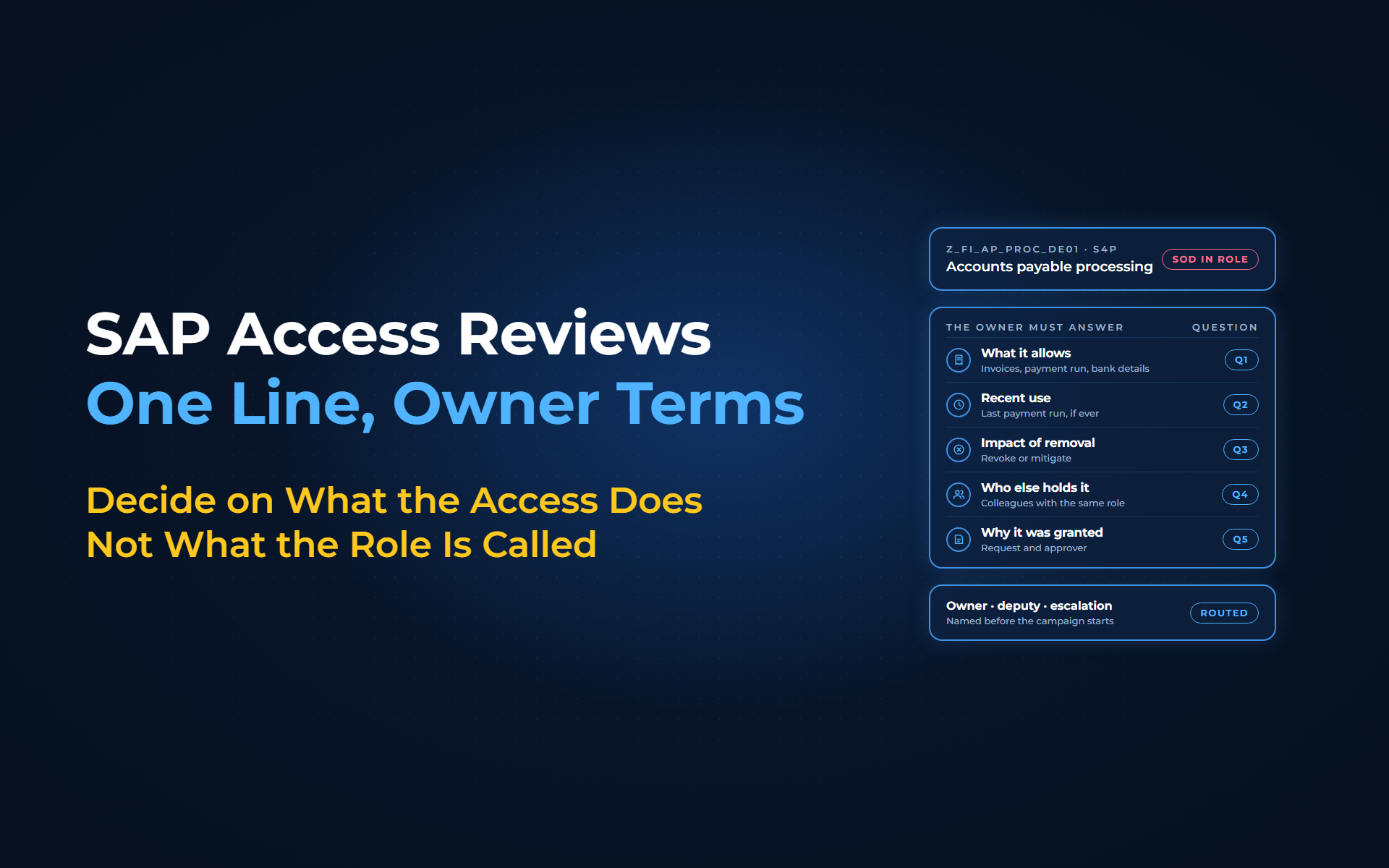
A review line is answerable when the owner can settle these five questions without opening SAP, because the line itself carries the facts.
- What it allows:
What can Brandt do, described as business actions? A transaction code is a clue the owner should never have to decode. - Recent use:
Was the access used during the review period? A sign-in date only shows that someone logged on, not that they ran a payment. - Impact of removal:
What stops if the access goes? If payments still run without Brandt, revoke it. If they do not, keep it and assign a mitigating control. - Who else holds it:
If three colleagues already run payments, the owner should be asking why Brandt needs to as well. - Why it was granted:
A request reference and an approver's name turn a memory test into a check anyone can repeat.
Microsoft Entra ID covers part of this ground. Its access reviews of groups and applications, including SAP applications integrated with it, show the users in scope with “No sign-in within 30 days” and “Peer outlier” recommendations. Access data from a disconnected application such as SAP can be uploaded for review in preview, with managers listed as reviewers and the uploading team's permission descriptions supplying the context. What the role allows, in that case, is only as clear as the description someone typed.
Who owns the line when the owner is away?
Name three people for every SAP role before the campaign starts, because a line addressed to “the manager” fails the moment the manager is new, on leave, or has never seen the process.
- Owner:
The person accountable for the process, who makes the decision. - Deputy:
A colleague with the same process knowledge, who decides during any absence. - Escalation:
The person who settles overdue or disputed lines so the campaign closes on time.
If the owner consults anyone else along the way, such as SAP security, record that on the line too. The audit trail should show who was asked as well as who signed.
How does Anugal make each SAP review line answerable?
With Anugal, the line arrives already holding the facts, and the owner keeps the decision.
- Owner routing:
Our ownership-based access certification routes reviews to managers, application owners or entitlement owners. Escalation paths cover lines with no response or a dispute. - Business terms:
Reviewers see plain-language entitlement descriptions and usage context, in the business terms owners use for requests. - SoD on every line:
Risk indicators, SoD conflicts and privilege level sit on the line. Our SoD rules work at transaction and authorization-value level, so Brandt's bank details and payment conflict shows where he is reviewed. - A recorded answer:
Every decision needs a justification, revocations are tracked through to completion, and each certification is linked to the access state at the time of review, which helps support audit-ready evidence.
So with Anugal, every SAP review line reaches a named owner in business terms, carrying its SoD risk and the access state at review time, and the owner decides on what the access does rather than on what the role is called.
Two things stay with you. Descriptions are only as accurate as the role catalog behind them, so have owners confirm custom role descriptions before the first campaign. And what Brandt did inside a transaction still comes from SAP's own logs. Anugal runs in your own environment.
How can you test your last campaign in 10 minutes?
- Minutes 1 to 2:
Pick five lines from your last SAP campaign, including one payment role, and hide the decisions that were made. - Minutes 3 to 8:
Ask the owner who signed them the five questions above, without letting them open SAP. - Minutes 9 to 10:
Count the blanks. Each one is a fact that was missing from your review line, and together they are your fix list.
See your review lines in business terms
From a role code to a decision the owner can explain
Put Brandt's line in business terms, show its SoD conflict, and address it to a named owner, and it becomes a decision the head of accounts payable can explain the day the sample lands. To see how Anugal presents your SAP review lines, let's get you a working demo, or write to info.anugal@businesscoresolutions.com.
SAP access review business owner: common questions
Who should review SAP access: the line manager or the role owner?
The person accountable for the process the role supports, the role or process owner. A line addressed only to "the manager" fails when the manager has changed or has never seen the process. Name a deputy and an escalation point for every role as well.
What should an SAP access review line show a business owner?
What the role lets the person do in business actions, any SoD conflict, recent use, why and by whom it was granted, and the named owner, deputy and escalation point. With those facts, the owner can answer the 5 questions without opening SAP.
Which people should be named for each SAP role before a review?
3 people: the owner accountable for the process, who decides; a deputy with the same process knowledge, who decides during absence; and an escalation point who settles overdue or disputed lines. If the owner consults someone, such as the SAP security team, record that on the line too.
Do Microsoft Entra ID access reviews show what an SAP role allows?
Partly. For groups and applications, including SAP applications integrated with Entra, reviewers see the users in scope with "No sign-in within 30 days" and "Peer outlier" recommendations. Access data from a disconnected application such as SAP can be uploaded for review in preview, with managers listed as reviewers. What the role allows depends on the uploading team's permission description.
Does an Anugal certification show what the user did inside SAP?
No. Each certification is linked to the access state at review time, every decision carries a justification, and revocations are tracked to completion. What Brandt, or any user, did inside a transaction still comes from SAP's own logs.
Sources
- European Union: Commission Delegated Regulation (EU) 2024/1774, Article 21 Access control, EUR-Lex (https://eur-lex.europa.eu/legal-content/EN/TXT/HTML/?uri=CELEX:32024R1774). Roles and responsibilities for granting, reviewing and revoking access rights; update of access rights at least yearly, and at least every 6 months for ICT systems supporting critical or important functions.
- Microsoft Learn: Review access to groups and applications in access reviews (https://learn.microsoft.com/en-us/entra/id-governance/perform-access-review). Reviewers see the users in scope; "No sign-in within 30 days" and "Peer outlier" recommendations; Accept recommendations.
- Microsoft Learn: Review recommendations for access reviews (https://learn.microsoft.com/en-us/entra/id-governance/review-recommendations-access-reviews). Inactive-user recommendation (no sign-in within 30 days; for application reviews, last activity in the app).
- Microsoft Learn: Include custom data provided resource in the catalog for catalog user access reviews (https://learn.microsoft.com/en-us/entra/id-governance/custom-data-resource-access-reviews). Upload of access data for disconnected applications; PermissionDescription field; single-stage reviews with the users' managers as the reviewers Microsoft lists.
- Microsoft Learn: What are access reviews? (https://learn.microsoft.com/en-us/entra/id-governance/access-reviews-overview). Lists "Access rights from custom data resources (preview)".
- Microsoft Learn: Manage access to your SAP applications (https://learn.microsoft.com/en-us/entra/id-governance/sap). Provisioning from Microsoft Entra ID to SAP ECC and, through SAP Cloud Identity Services, to SAP S/4HANA; SAP Cloud Identity Access Governance integration.
- Microsoft Learn: Create an access review of groups and applications (https://learn.microsoft.com/en-us/entra/id-governance/create-access-review). Reviews can cover application access; the application must be integrated with Microsoft Entra ID in your tenant.
- SAP KBA 3761846: Special G/L down payments not considered in F110 selection (https://userapps.support.sap.com/sap/support/knowledge/en/3761846). F110 is the SAP automatic payment program.
- SAP KBA 2787843: Partner bank selection in F110 (https://userapps.support.sap.com/sap/support/knowledge/en/2787843). Vendor bank accounts maintained in the vendor master data are the accounts the automatic payment program selects from.
- Anugal: Access Certifications (https://anugal.ai/access-certifications/). Routing to managers, application owners and entitlement owners; escalation paths; risk indicators, SoD conflicts and privilege level; plain-language entitlement descriptions and usage context; enforced justification; access state preserved at time of review; remediation tracked.
- Anugal: Business and Application Stakeholders (https://anugal.ai/business-application-stakeholders/). Business-aligned access catalogs; access requested in business terms; ownership-based routing.
- Anugal: Enforce Segregation of Duties (SoD) (https://anugal.ai/enforce-segregation-of-duties-sod/). SoD evaluated before approval across applications and roles.