

DORA for SAP teams · 6 min read
Why Critical SAP Systems Need a 6-Month DORA Access Review
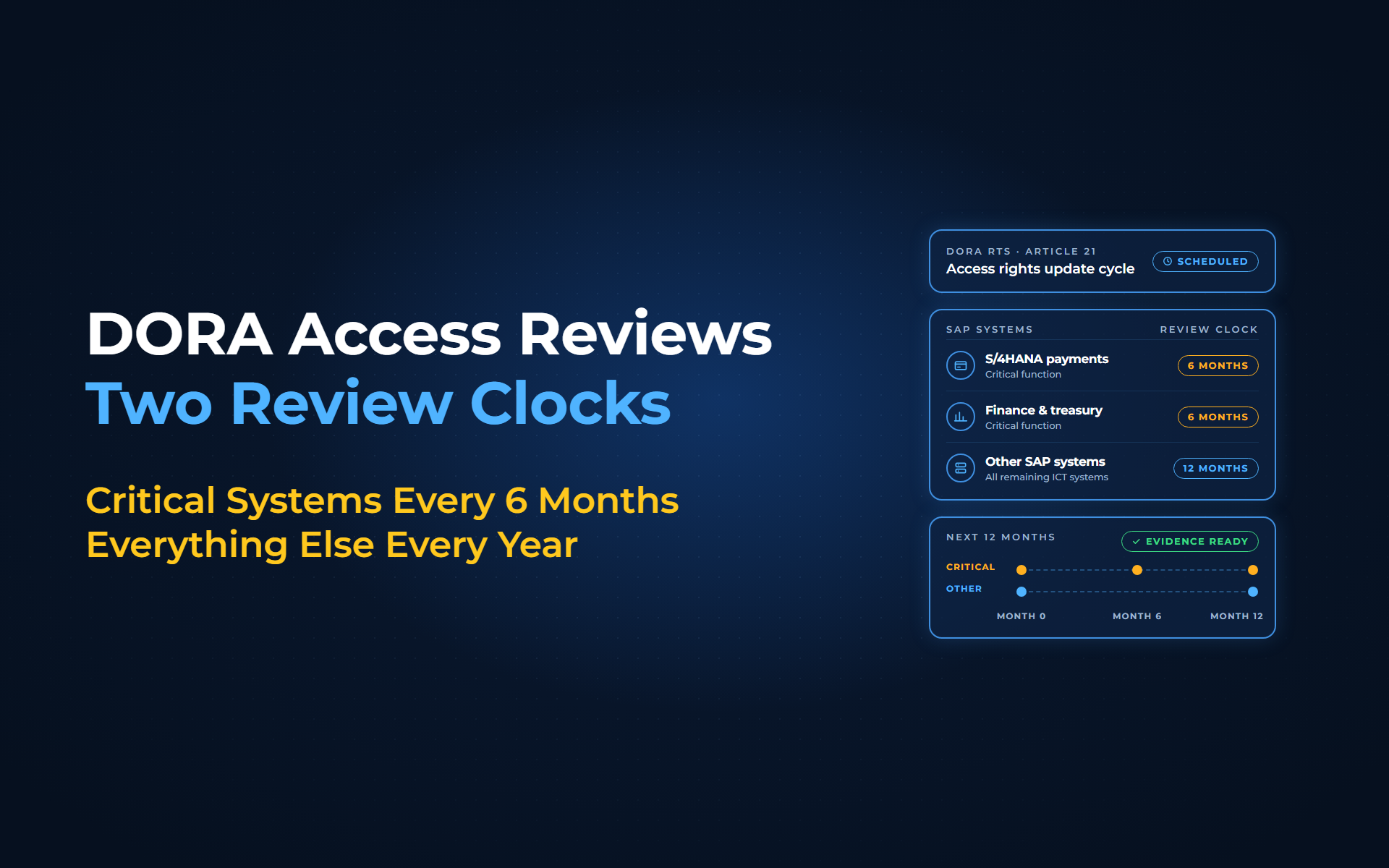
DORA's technical standards require access rights to be updated at least every 6 months on ICT systems supporting critical or important functions, and at least yearly everywhere else. For most SAP landscapes that means your payment and finance systems now sit on a 6-month clock that an annual review does not meet. With Anugal, both clocks run as one scheduled, evidence-producing review cycle instead of 2 spreadsheet exercises.
Your annual SAP access review closed on time. Then the auditor points at the S/4HANA system that runs your F110 payments and asks: if it supports a critical function, where is the 6-month update? DORA has applied since 17 January 2025, so 3 full 6-month windows have already closed.
What does the DORA access review rule say?
Article 21, point (e)(iv), of Commission Delegated Regulation (EU) 2024/1774 requires:
"update of access rights where changes are necessary and at least once a year for all ICT systems, other than ICT systems supporting critical or important functions and at least every 6 months for ICT systems supporting critical or important functions"
In our reading, the clock applies per system. If F110 runs in your S/4HANA production client, every account in that system is on the 6-month clock, including technical and database users. Your classification of critical or important functions under DORA Article 8(1) decides which systems qualify. Categories listed in Article 16(1), such as small and non-interconnected investment firms, are outside the fixed interval; credit institutions and insurers are not.
Why the 6-month cycle is hard to run by hand
Doubling the frequency doubles every weak point of a manual review:
- Two calendars:
Critical systems every 6 months, the rest yearly, often tracked in separate spreadsheets. - Wrong reviewers:
Managers approve SAP roles they cannot read, while role and system owners stay out of the loop. - No risk context:
A user who can change vendor bank details and run F110 looks like any other line in an export. - Unproven removals:
A rejection sits in an email until someone in IT removes the role, and nobody checks that it actually left SAP. - Scattered evidence:
Decisions, dates and removal records live in different places when the auditor asks.
How Anugal simplifies the DORA access review cycle
With Anugal, the agentic identity governance and access orchestration platform from Business Core Solutions, the review becomes one repeatable cycle:
- Schedule both clocks once:
You scope campaigns by application, role, entitlement type or risk level, and set 6-month recurrence for critical SAP systems and 12-month for the rest. Frequency, deadlines and escalation are defined centrally, so the next window opens on its own. - Start from the full population:
Anugal builds each campaign from the users and role assignments it reads from your connected SAP systems, so the review covers what is actually assigned, not last quarter's export. - Send each item to the right owner:
Reviews route to managers, application owners or entitlement owners, with escalation for non-response. - Decide with risk in view:
Reviewers see SoD conflicts, privilege level, usage and plain-language entitlement descriptions, and must give a justification for approvals, rejections and exceptions. A bank-details-plus-F110 conflict reaches them before they approve, provided your rule set covers it. - Remove rejected access in SAP:
Anugal revokes rejected access across connected systems and tracks each removal against its deadline. - Keep the evidence ready:
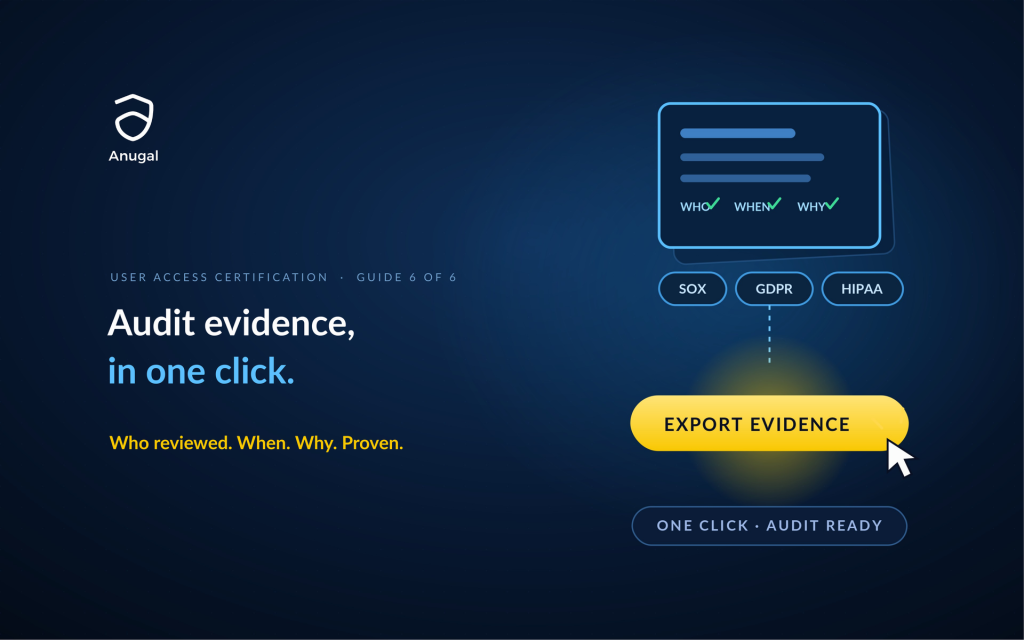
Every decision, action and outcome is recorded as append-only evidence with reviewer, timestamp and justification, alongside the access state at the time of review. You export the audit evidence package when the auditor asks.
| DORA review need | Manual review | With Anugal |
|---|---|---|
| 6-month and yearly cycles | Separate spreadsheets and calendar reminders | Recurring campaigns scheduled centrally per system |
| Full user population | Exports pulled by hand per system | Campaigns built from connected SAP assignments |
| Informed decisions | Lists of role names | SoD conflicts, privilege and usage context |
| Removal | Tickets and email follow-up | Automatic revocation tracked to deadline |
| Evidence | Collected after the fact | Append-only record and exportable package |
Anugal coexists with SAP GRC. If GRC Access Control already reviews your SAP side, keep it and let Anugal cover the non-SAP systems and the evidence across both; decide per system which tool reviews and which removes. You still decide which functions are critical and keep the DORA obligation; Anugal makes the cycle simpler to run and easier to prove.
See an access review run end to end
From 1 annual review to a 6-month clock you can prove
Classify your SAP systems, schedule both clocks, and let every decision end in a confirmed removal and a stored record. If you want to see a DORA access review cycle run end to end, let's get you a working demo, or write to info.anugal@businesscoresolutions.com.
DORA access review: common questions
Why do critical SAP systems need a 6-month DORA access review?
Article 21 of the DORA RTS requires access rights on systems that support critical or important functions to be updated at least every 6 months. SAP systems that run payments, treasury or core banking often support those functions, so access to those systems falls on the faster clock.
Does DORA use the word recertification?
No, neither DORA nor its RTS on ICT risk management uses the word. The RTS requires an "update of access rights", and a certification campaign is a method of meeting it, not the legal term.
How often does a DORA access review have to run for SAP?
The RTS sets at least every 6 months for systems supporting critical or important functions, at least once a year for all other ICT systems, and an update whenever changes are necessary. Removals for leavers must happen without undue delay.
Which SAP systems need the 6-month cycle?
Any SAP system that supports a function you classified as critical or important needs it, including its technical users. Payment runs, treasury, and core banking or insurance policy systems are likely candidates. DORA asks you to review the classification of your ICT-supported business functions at least yearly (Article 8(1)).
Do all financial entities have to follow the 6-month cycle?
Not all. Only the categories listed in DORA Article 16(1), such as small and non-interconnected investment firms and exempted payment or e-money institutions, use the simplified framework, which requires periodic review without a fixed interval. A credit institution or insurer outside them follows Article 21 in full.
Sources
- Commission Delegated Regulation (EU) 2024/1774 (DORA RTS on ICT risk management), Publications Office of the EU (https://publications.europa.eu/resource/celex/32024R1774). Article 21 points (b), (c) and (e)(i) to (e)(iv): the 6-month and yearly update cycles, review roles, withdrawal without undue delay, SoD, privileged access and generic accounts; Article 20 unique identities for third-party provider staff; Article 33 simplified-framework review rule.
- Regulation (EU) 2022/2554 (DORA), Publications Office of the EU (https://publications.europa.eu/resource/celex/32022R2554). Article 64 application date of 17 January 2025; Article 8(1) classification and yearly review; Article 16(1) simplified framework.
- SAP KBA 3761846: Special G/L down payments not considered in F110 selection (SAP R/3 and SAP S/4HANA) (https://userapps.support.sap.com/sap/support/knowledge/en/3761846). F110 as the SAP automatic payment program transaction used in the example.
- SAP Help (older release, 4.6C): Maintain Payment Program Parameters (https://help.sap.com/SAPHelp_46c/helpdata/EN/6e/121b089f0411d189b80000e829fbbd/content.htm). Secondary source for F110 as the SAP payment program transaction.
- SAP Help (older release): Security in System Groups (https://help.sap.com/saphelp_snc70/helpdata/en/42/7395c6e37f11d296250000e82de14a/content.htm). SAP_ALL allows a user to perform all tasks in the system.
- SAP Help (older release): Determining Change Documents (https://help.sap.com/saphelp_snc70/helpdata/en/90/c3e45b841f214ca32fcc17f7eb059e/content.htm). SUIM change-document reports for role assignments, used as evidence that a removal reached SAP.
- SAP KBA 2725213: SUIM / RSUSR100N, RSSCD100_PFCG_USER missing entries for role assignments (https://userapps.support.sap.com/sap/support/knowledge/en/2725213). The caveat that role-assignment change-document results can be incomplete unless the change-document index is current.
- SAP Help (older release): Assign User (role maintenance, PFCG) (https://help.sap.com/saphelp_em92/helpdata/en/4e/e9aeb63f6c6fcee10000000a421937/content.htm). Time-limited role assignments need the user master comparison (PFUD or the report PFCG_TIME_DEPENDENCY) scheduled daily.
- SAP KBA 2665973: Expired roles still gives user authorization (https://userapps.support.sap.com/sap/support/knowledge/en/2665973). Users can still perform tasks after a role has expired, so the end state needs its own check.
- Anugal: Access Certifications product page (https://anugal.ai/access-certifications/). Campaign scoping, central recurrence and escalation, reviewer routing with SoD and privilege context, revocation across target systems, tracked remediation, append-only evidence and evidence-package export.
- Anugal: FAQs (https://anugal.ai/faqs/). Anugal coexists with incumbent identity, access management or PAM solutions, and with current tools such as SAP GRC.
- SAP Learning: Performing User Access Review (Discovering the Main Functionalities of SAP Access Control) (https://learning.sap.com/courses/discovering-the-main-functionalities-of-sap-access-control/performing-user-access-review_f0a1d920-abe1-4637-9a1f-5dc9b84b37ad). SAP Access Control's User Access Review automates and documents periodic reviews by business managers or role owners.