

Agentic AI Governance · 5 min read
AI Agents in SAP Run on Borrowed Roles, So Who Governs Them?
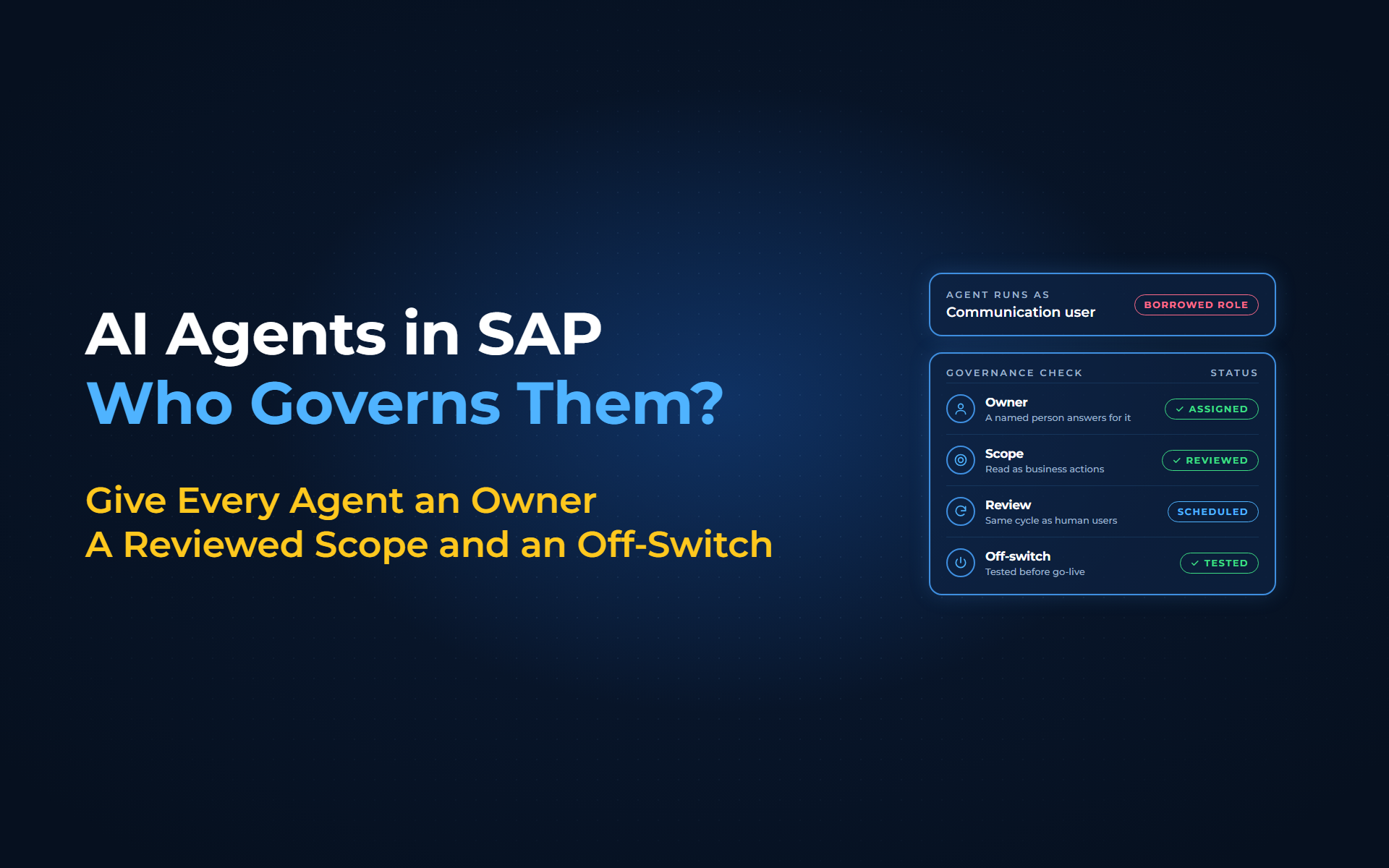
AI agents in SAP are bounded by the roles of the identity they borrow: the invoking user, or a back-end ABAP user an integration wires in. Picture month-end close: an agent posts a journal entry through a communication user with a broad 2019 finance role, and nobody owns that user. Governing agents means giving each one an owner, an accepted scope, a review and a tested off-switch. With Anugal, those controls run in the same governance cycle as your human users.
How do AI agents in SAP get access today?
AI agents in SAP borrow an existing identity, and each path carries a different risk:
- On behalf of a user:
In SAP's model, the agent works for the current user, and each application checks that user's authorisations. An action succeeds only when both the agent's scope and the user's permissions allow it. - Through a communication or shared user:
An agent wired to an RFC connection or a shared service account runs with whatever roles that user holds, which are often broad and unowned.
Where your tenant has SAP's agent features, SAP Cloud Identity Services registers each agent, generates baseline authorisation policies and cleans up its identities when the agent is removed. The agent's scope is defined by its developer and is read-only for administrators. SAP marks these features as part of an Early Adopter Care programme.
Why SAP agents are hard to govern by hand
SAP registers the agent, but it does not decide who answers for it. That leaves 5 gaps most teams try to close with spreadsheets:
- No owner:
SAP gives every agent "an associated technical user in the directory." That user is not a person, and nobody is named to answer for it. - Unread scope:
SAP says the invoking user's permissions "should not be relied on as a substitute for a careful scope review," yet scopes arrive as API lists that nobody translates into business actions. - Hidden risk:
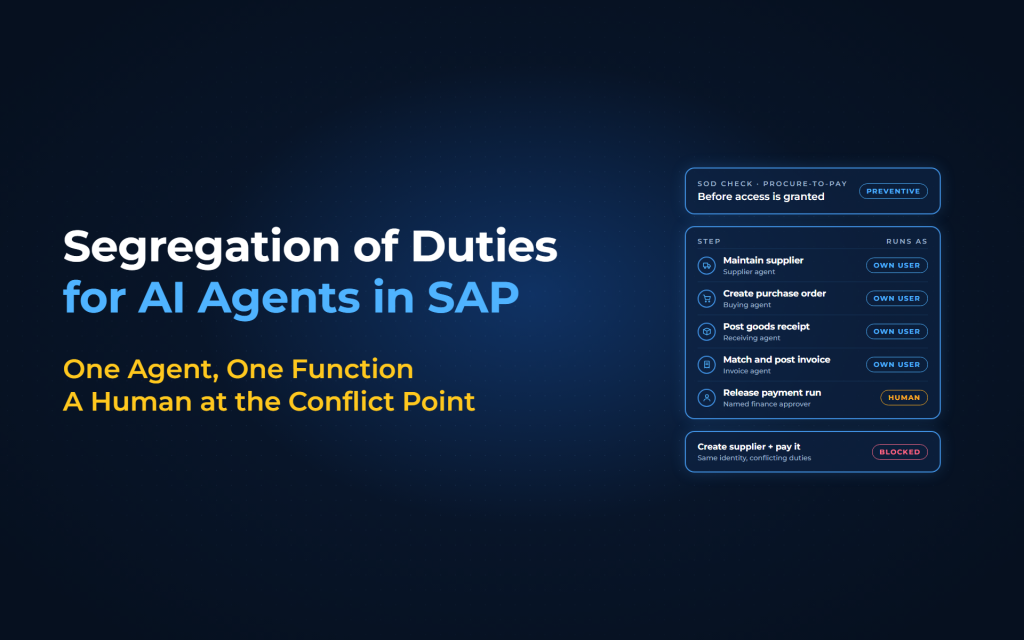
Communication users rarely go through the SoD and critical-access checks applied to people. - No tested off-switch:
If an interface shares the agent's user, locking it becomes an outage, so nobody does. - Mixed evidence:
Agent-initiated postings sit in the same logs as human ones, and nobody owns the record.
How Anugal governs AI agents in SAP
With Anugal, the agentic identity governance and access orchestration platform from Business Core Solutions, agents join the same governance cycle as your people:
- Discover every agent:
Anugal reads each registered agent, its scope and its user assignments from SAP Cloud Identity Services. On ECC and other ABAP back ends, it governs the communication users your agents run on. - Name an owner:
Anugal requires a business and technical owner for every agent and communication user it reads, so ownerless ones surface before go-live. - Review the scope in plain terms:
Reviewers see each API in the agent's scope and whether it reads or writes, and Anugal runs communication users' roles through SoD and critical-access checks. - Certify on a fixed cycle:
Reviewers certify who is assigned to each agent and which roles each communication user holds, with risk context, and re-review whenever the scope changes. - Switch it off cleanly:
When a reviewer revokes an assignment, Anugal removes it in SAP Cloud Identity Services; once no user is assigned, no one can invoke the agent. For a communication user, Anugal's decommissioning workflow tracks the retirement through to your Basis team. - Keep the evidence:
Anugal records owners, review decisions and the assignment changes it makes, so you can show an auditor who owned each agent and who approved its access.
| Control | Manual today | With Anugal |
|---|---|---|
| Owner | An unnamed technical user | Business and technical owner required for every agent |
| Scope | Raw API list, rarely read | Each API shown as read or write for review |
| Risk | Communication users skipped in SoD checks | SoD and critical-access checks on agent users |
| Off-switch | Untested, with outage risk | Revocation removes the assignment in SAP Cloud Identity Services |
| Evidence | Mixed with human activity | Owners, decisions and changes on record |
Anugal works alongside SAP: the scope stays in SAP, set by the agent's developer, and request-level activity stays in SAP's monitoring. Our partners or our team set it up with you, from discovery to agreed owners and review cycles.
Govern every agent identity
From borrowed roles to owned agent identities
An agent has no intent of its own. It has whatever roles you lent it. Discover every agent, give each one an owner, and keep any agent without one out of production. For live-use controls, see governance controls for AI agents in production systems.
To see an SAP agent go from discovery to an owned, certified identity, let's get you a working demo in your own environment, or write to us at info.anugal@businesscoresolutions.com.
AI agents in SAP: common questions
Who should govern AI agents in SAP?
Each AI agent in SAP needs a named business owner who answers for its purpose, plus an independent reviewer who certifies its scope and who may invoke it. Record both in an ownership table with a review cycle, a tested off-switch and a log owner.
Can we treat AI agents like service accounts?
Partly. Give each agent an owner, a purpose and a review cycle, as you would a service account. In SAP's agent model, though, the agent's scope and the invoking user's permissions both apply, so review both.
Do the user's permissions remove the need for a scope review?
No. SAP states that the invoking user's permissions should not be relied on as a substitute for a careful scope review. Check the agent's APIs, write access and sensitive data before you assign any users.
How do we stop an AI agent in SAP quickly?
For agents registered in SAP Cloud Identity Services, unassign all users; SAP states that no one can then invoke the agent. Test in-flight sessions and tokens separately. For an agent on a communication user, we would lock that user once no interface shares it.
Does access to an assistant give access to the agents it calls?
No. SAP states that access assignments are not inherited. A user assigned to an assistant also needs a separate assignment to each agent it invokes, so review the assistant and every agent in the chain.
Sources
- SAP Help Portal: ABAP Platform, User Management (https://help.sap.com/docs/ABAP_PLATFORM_NEW/864321b9b3dd487d94c70f6a007b0397/e98b24b42425455b9dbe9e7573bdbc7c.html). Supports the communication, system and service user types and SAP's advice to keep service user authorizations to a minimum.
- SAP Help Portal: SAP Cloud Identity Services, Agents (https://help.sap.com/docs/IDENTITY_AUTHENTICATION/6d6d63354d1242d185ab4830fc04feb1/12bef241b1254430a867ee8b1e6e8c43.html). Supports the dual authorization model, the agent's technical user, lifecycle registration and clean-up, non-inherited assignments, the Agents tile and the Early Adopter Care status.
- OWASP GenAI Security Project: LLM06:2025 Excessive Agency (https://genai.owasp.org/llmrisk/llm062025-excessive-agency/). Supports the complete mediation principle.
- SAP Help Portal: SAP Cloud Identity Services, Review Agent Authorizations (https://help.sap.com/docs/IDENTITY_AUTHENTICATION/6d6d63354d1242d185ab4830fc04feb1/cc92fcf10c04430689f7f90198c6640a.html). Supports the read-only developer-defined scope, the 5 scope review checks, the warning against relying on user permissions, unassigning to stop invocation and Agent Gateway monitoring.
- Anugal: Machine and Non-Personal Identity Management (https://anugal.ai/machine-non-personal-identity-management/). Anugal's published capabilities: mandatory business and technical owners, periodic certification with usage and risk context, structured decommissioning, and recorded ownership and access changes for non-human identities.