

Agentic AI Governance · SAP Security · 7 min read
How to Apply Segregation of Duties to AI Agents in SAP
Segregation of duties exists so that no single identity can both create a supplier and pay it. AI agents in SAP can quietly break that rule: a custom agent can add a supplier at 9:00 and pay it at 15:00, and a rule set that never analyses its back-end user would not flag it. Applying segregation of duties for AI agents means finding the identity the back end sees, giving each agent a single function, running conflicting steps under separate identities and putting a human release at the conflict point. With Anugal, agent identities go through the same SoD checks as people, before access is granted.
Why do SoD rule sets miss AI agents?
SoD rule sets test user IDs, and an agent can act under an identity they never analyse. Adding a supplier and paying it is SAP's own SoD example: a person who can "set up a vendor and process payments". Most rule sets have 3 blind spots for agents:
- Wrong user type in scope:
In SAP Access Control 12.0, ad hoc risk analysis preselects the dialog user type by default, so an agent's communication or system user can fall outside the run. - Transaction-led rules:
RFC calls are checked through S_RFC and OData services through S_SERVICE, so a ruleset built on transactions can miss a back-end user that never needs S_TCODE. - Agent policies outside the ruleset:
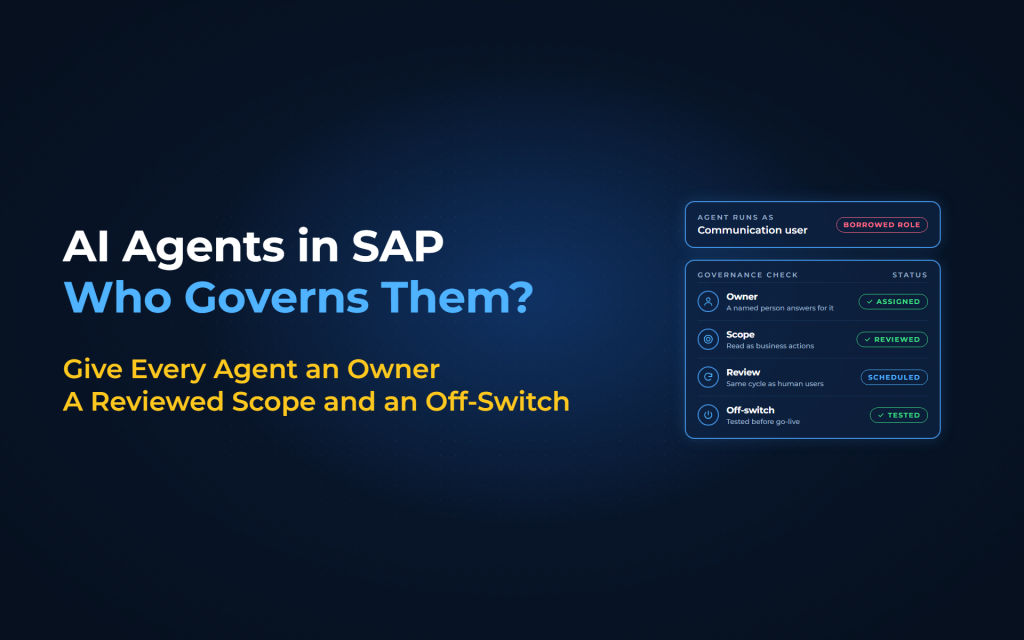
For an agent registered in SAP Cloud Identity Services, an action succeeds only when both the agent's scope and the user's permissions allow it. Access Control analyses users, roles and profiles, not agent policies.
SoD was never only about people. It is about who, or what, holds both ends of a risk.
What are the 3 rules of segregation of duties for AI agents?
The 3 rules below are consistent with NIST SP 800-53 Rev. 5, controls AC-5 and AC-6:
- Give each agent a single function:
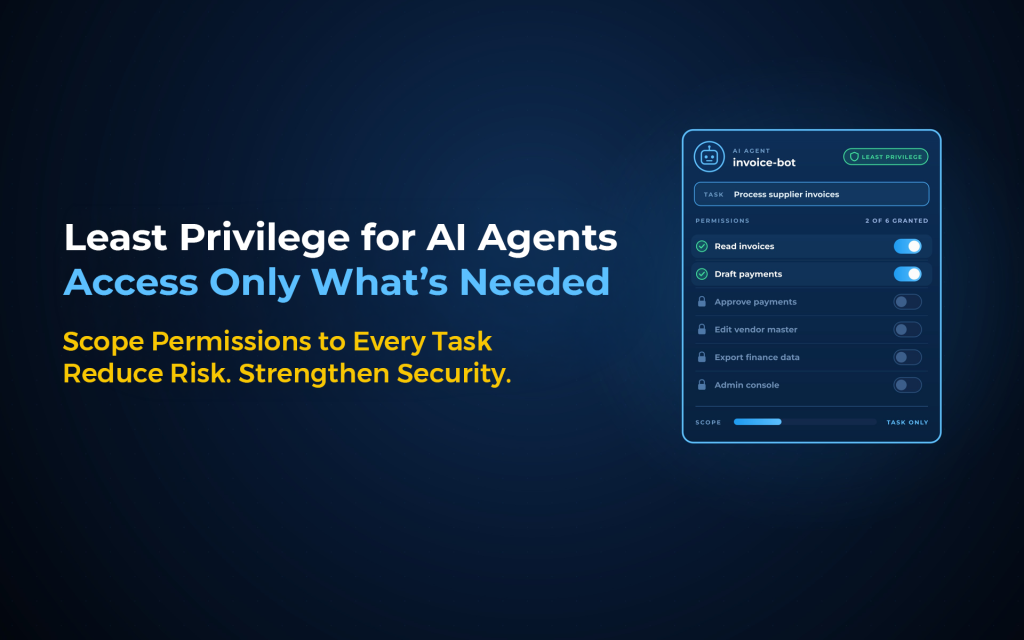
An agent should own a step, not a process end to end. OWASP advises limiting agent permissions "to the minimum necessary". - Run conflicting steps under separate identities:
Custom agents sharing a back-end user count as one identity, so give the supplier and payment agents separate users and roles. Invocation rights are access too, so test who can trigger both agents. - Put a human at the conflict point:
Add a human release on the conflicting step and dual control on sensitive supplier fields, where SAP blocks payment "until a second authorized person confirms the master data changes". Where a risk must stay, mitigate it with a named owner, a human monitor and an expiry date.
What does procure-to-pay look like split across agents?
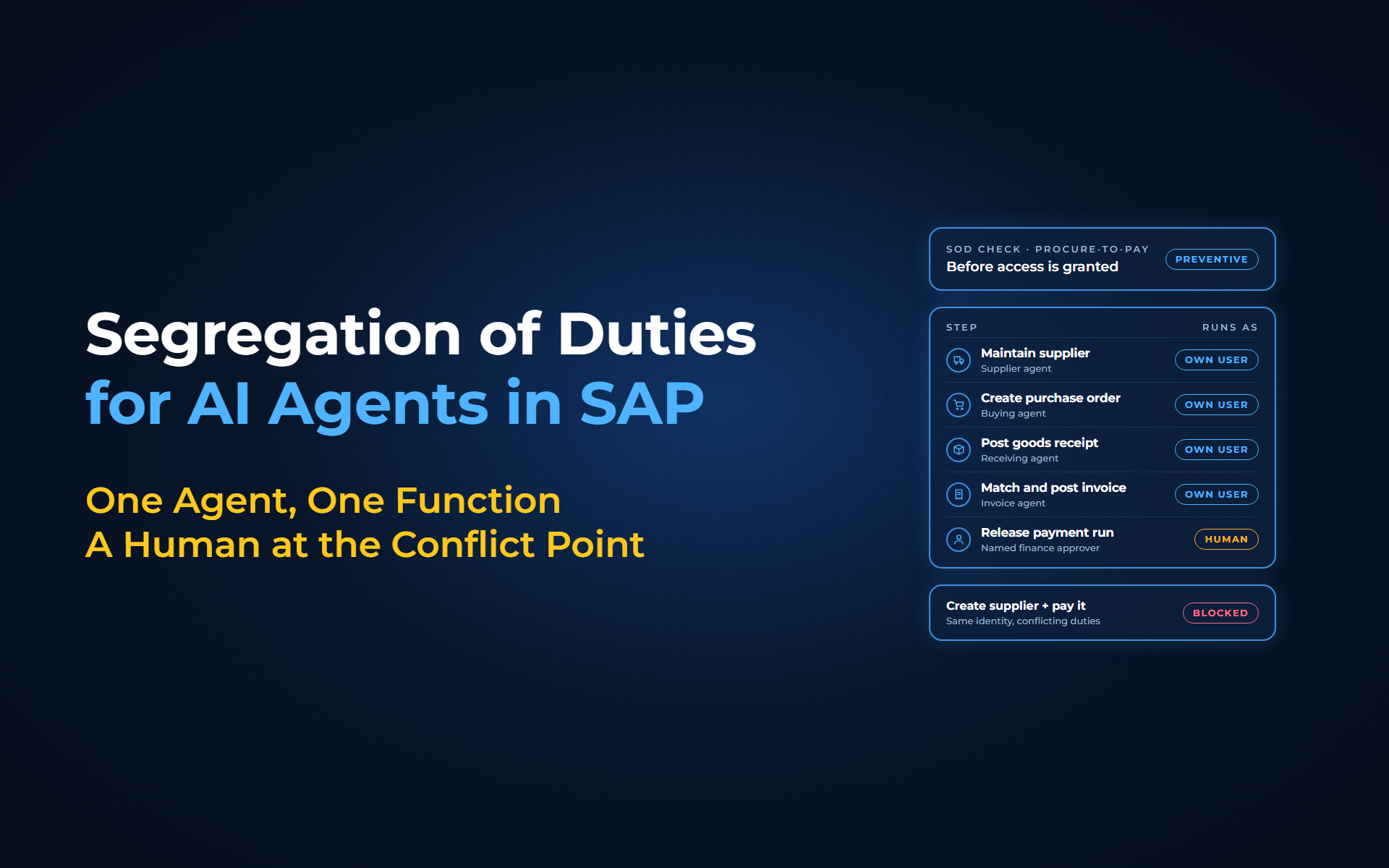
Procure-to-pay splits into 5 steps, and no identity, agent or human, should hold a conflicting pair:
| Step | Who runs it | Must not also hold |
|---|---|---|
| Maintain supplier (Business Partner) | Supplier agent, own user | Payment release, invoice posting |
| Create purchase order | Buying agent, own user | Supplier maintenance, goods receipt |
| Post goods receipt | Receiving agent, own user | Purchase order creation, invoice posting |
| Match and post invoice | Invoice agent, own user | Payment release, supplier maintenance, purchase order creation |
| Release payment run | Named finance approver (human) | Invoice posting, supplier maintenance |
This table is illustrative; your ruleset defines the real conflicts. See also SoD by design and toxic access combinations.
How does Anugal apply SoD to AI agents in SAP?
With Anugal, the agentic identity governance and access orchestration platform from Business Core Solutions, the agent identities it governs go through the same SoD enforcement as people:
- Check before approval:
Anugal checks each access request against your SoD policies before approval, and blocks a high-risk combination, routes it for mitigation or escalates it, before provisioning. - Registered agents:
For an agent registered in SAP Cloud Identity Services, Anugal analyses the agent user and its authorisation policies against your SoD policies at request time, so your administrator's accept-or-hold decision has an SoD result behind it. - Who can invoke which agent:
User-to-agent assignments requested through Anugal get the same check, so giving one person both the supplier and payment agents surfaces as a conflict before approval. - Custom agents on back-end users:
Anugal checks role requests for the agent's ABAP communication or system user, so a supplier agent picking up payment release shows up before approval. It also records an accountable owner for each service identity. - Documented mitigation:
Where a risk must stay, the mitigation is documented, time-bound and traceable, and every decision is recorded with its context. - A backstop inside the session:
Anugal also monitors and enforces SoD inside an agent session, as a backstop to the first 2 rules. SAP's own authorisation checks still run in the back end.
Assignments made directly in the Agents tile, SU01 or PFCG bypass this check, so route them through the request path or catch them in your next batch risk analysis. Our team or an Anugal partner can lead the assessment that brings your agents' identities into scope.
From shared agent identities to separated, approved duties
Segregation of duties for AI agents adds identities to test, but the test itself stays the same: no single identity, human or agent, should hold both ends of a risk. To see this on your agent identities, let's get you a working demo, or write to our team at info.anugal@businesscoresolutions.com.
Segregation of duties for AI agents: common questions
How do you apply segregation of duties to AI agents in SAP?
Find the identity the back end sees, either the invoking person or the agent's own back-end user, and test that identity. Give each agent a single function, run conflicting steps under separate identities, put a human release at any conflict point, and include agents' back-end users in risk analysis.
Do mitigating controls work for AI agents?
Only as a fallback. Remediate first. Mitigate a residual risk on the agent's back-end user with a named owner, a human monitor, a defined review and an expiry.
Does SoD still apply when an agent acts on behalf of a user?
Yes. For agents registered in SAP Cloud Identity Services, an action succeeds only when both the agent's authorization policies and the user's own authorizations allow it. The user's SoD analysis still applies, and the agent's policy scope needs its own review.
Are agents' back-end users included in SAP risk analysis?
They can be, but check your configuration. In SAP Access Control 12.0, ad hoc risk analysis preselects dialog users by default, and batch risk analysis can exclude objects. Also check that functions cover the authorization objects such a user holds for RFC and OData calls, not only transactions.
Can an AI agent decide for itself whether an action is allowed?
It should not. OWASP recommends enforcing authorization in downstream systems rather than relying on the model to decide, and requiring human approval for high-impact actions. In SAP, authorizations and SoD rules set the boundary, not prompts.
Sources
- SAP Help, SAP Access Control 12.0: Access Risk Analysis (https://help.sap.com/docs/SAP_ACCESS_CONTROL/5cae1bc9a72348389e91183714220e30/4e8cb94820ff0867e10000000a421bc1.html). SAP's vendor-and-payment example of an SoD risk and its definition of an access risk per user, role, profile or HR object.
- SAP Access Control 12.0 Configuration Parameters (PDF) (https://help.sap.com/doc/6ae2dabca54f49ed821be2be8c6f0b17/12.0.03/en-US/AC12_Config_Parameters.pdf). Parameter 1026 (default user type A for ad hoc risk analysis) and parameter 1031 (Ignore Critical Roles and Profiles), which feeds the IMG activity Maintain Exclude Objects for Batch Risk Analysis.
- SAP Help, SAP NetWeaver: Logon Data Tab Page (https://help.sap.com/saphelp_snc700_ehp01/helpdata/en/4b/04325ec2ad2b5ce10000000a42189c/content.htm). User type code A is the dialog user, "for individual human users" (the current page below omits the letter codes).
- SAP Help, ABAP Platform: Logon Data Tab (https://help.sap.com/docs/ABAP_PLATFORM_NEW/ad77b44570314f6d8c3a8a807273084c/4b04325ec2ad2b5ce10000000a42189c.html?version=202510.002). Dialog, system, communication, service and reference user types, SAP GUI logon, and SAP's recommendation of non-dialog users between systems.
- SAP Help, SAP Access Control 12.0: Creating a Function (https://help.sap.com/docs/SAP_ACCESS_CONTROL/fd442c67791b45ce8339954033f8bca0/c190e44f7d794c59e10000000a445394.html?version=12.0.33). Functions built from actions and permissions (authorization objects).
- SAP Help, ABAP Platform: Authorization Object S_RFC (https://help.sap.com/docs/ABAP_PLATFORM_NEW/c495ada972d045b2be2869f5573af8e7/488d1bd1ae444e6ee10000000a421937.html?version=202510.002). The authorization check for RFC access to program modules.
- SAP Help, ABAP Platform: Assigning Authorization Defaults to OData Services (https://help.sap.com/docs/ABAP_PLATFORM_NEW/cc0c305d2fab47bd808adcad3ca7ee9d/d582314dbe574083b0381d9a50f132d8.html?version=202510.002). Start authorizations for OData services through S_SERVICE.
- SAP Help, SAP Cloud Identity Services: Agents (https://help.sap.com/docs/cloud-identity-services/cloud-identity-services/agents). The directory technical user SAP creates for each agent, the dual authorization model, the Agents tile that controls who can invoke an agent, and Early Adopter Care status at the time of writing.
- NIST SP 800-53 Rev. 5, AC-5 and AC-6 (https://csrc.nist.gov/pubs/sp/800/53/r5/upd1/final). The separation of duties (AC-5) and least privilege (AC-6) controls the 3 rules are consistent with.
- OWASP Top 10 for LLM Applications, LLM06:2025 Excessive Agency (https://genai.owasp.org/llmrisk/llm062025-excessive-agency/). Limiting agent extensions and permissions to the minimum necessary, human approval of high-impact actions and downstream authorization.
- SAP Help, SAP Access Control 12.0: Functions and Risks (https://help.sap.com/docs/SAP_ACCESS_CONTROL/5cae1bc9a72348389e91183714220e30/c0e0e44fc5c54a59e10000000a445394.html?version=12.0.33). Access risks built from conflicting functions or a critical action and critical permission.
- SAP Help, SAP S/4HANA: Dual Control for Changing Master Records (https://help.sap.com/docs/SAP_S4HANA_ON-PREMISE/3cb1182b4a184bdd93f8d62e3f1f0741/7aefd353ca9f4408e10000000a174cb4-845.html?version=2025.002). Sensitive supplier fields block the payment run until a second person confirms, and the changer cannot confirm.
- SAP Help, SAP S/4HANA: Business Partner Approach (https://help.sap.com/docs/SAP_S4HANA_ON-PREMISE/74b0b157c81944ffaac6ebc07245b9dc/25b46c8241fd4852bf7876d87bed8fd0.html?version=2025.002). The Business Partner as the leading object for supplier master data.
- SAP Help, SAP Access Control 12.0: Mitigating Controls (https://help.sap.com/docs/SAP_ACCESS_CONTROL/5cae1bc9a72348389e91183714220e30/9d88e44f7d794c59e10000000a445394.html). Assigning mitigating controls with control monitors, risk owners, monitoring steps and a validity period.
- SAP Help, SAP Access Control 12.0: Analyzing Risks When Submitting Access Requests (https://help.sap.com/docs/SAP_ACCESS_CONTROL/fd442c67791b45ce8339954033f8bca0/0f3ed59eefb04458bfe3ee3a042687fd.html?version=12.0.33). Risk analysis on access request submission and the simulation option.
- SAP Help, SAP Access Control 12.0: Role Level Simulation (https://help.sap.com/docs/SAP_ACCESS_CONTROL/5cae1bc9a72348389e91183714220e30/a98beb4fa7b94a59e10000000a445394.html?version=12.0.26). Simulating added actions, roles or profiles before assignment.
- SAP Help, ABAP Platform: The Security Audit Log (https://help.sap.com/docs/ABAP_PLATFORM_NEW/864321b9b3dd487d94c70f6a007b0397/c769bcb7f36611d3a6510000e835363f.html?version=202510.002). Recording RFC logon attempts and RFC calls to function modules.
- SAP Help, SAP Cloud Identity Services: Review Agent Authorizations (https://help.sap.com/docs/IDENTITY_AUTHENTICATION/6d6d63354d1242d185ab4830fc04feb1/cc92fcf10c04430689f7f90198c6640a.html). An agent's scope is defined by its developer, is read-only for administrators, and is reviewed before any user is assigned.
- SAP Help, SAP BTP Connectivity: Principal Propagation (https://help.sap.com/docs/connectivity/sap-btp-connectivity-cf/principal-propagation). Forwarding the identity of a cloud user to a remote system.
- Anugal, Enforce Segregation of Duties (SoD) (https://anugal.ai/enforce-segregation-of-duties-sod/). Request-time SoD checks before approval and provisioning, across applications, with documented, time-bound mitigations and decisions recorded with context.
- Anugal, Manage Machine & Third-Party Access (https://anugal.ai/manage-machine-third-party-access/). Accountable ownership for every external or service identity.