

NIS2 for SAP teams · 8 min read
What Auditors Will Ask For When They Check NIS2 Compliance in SAP
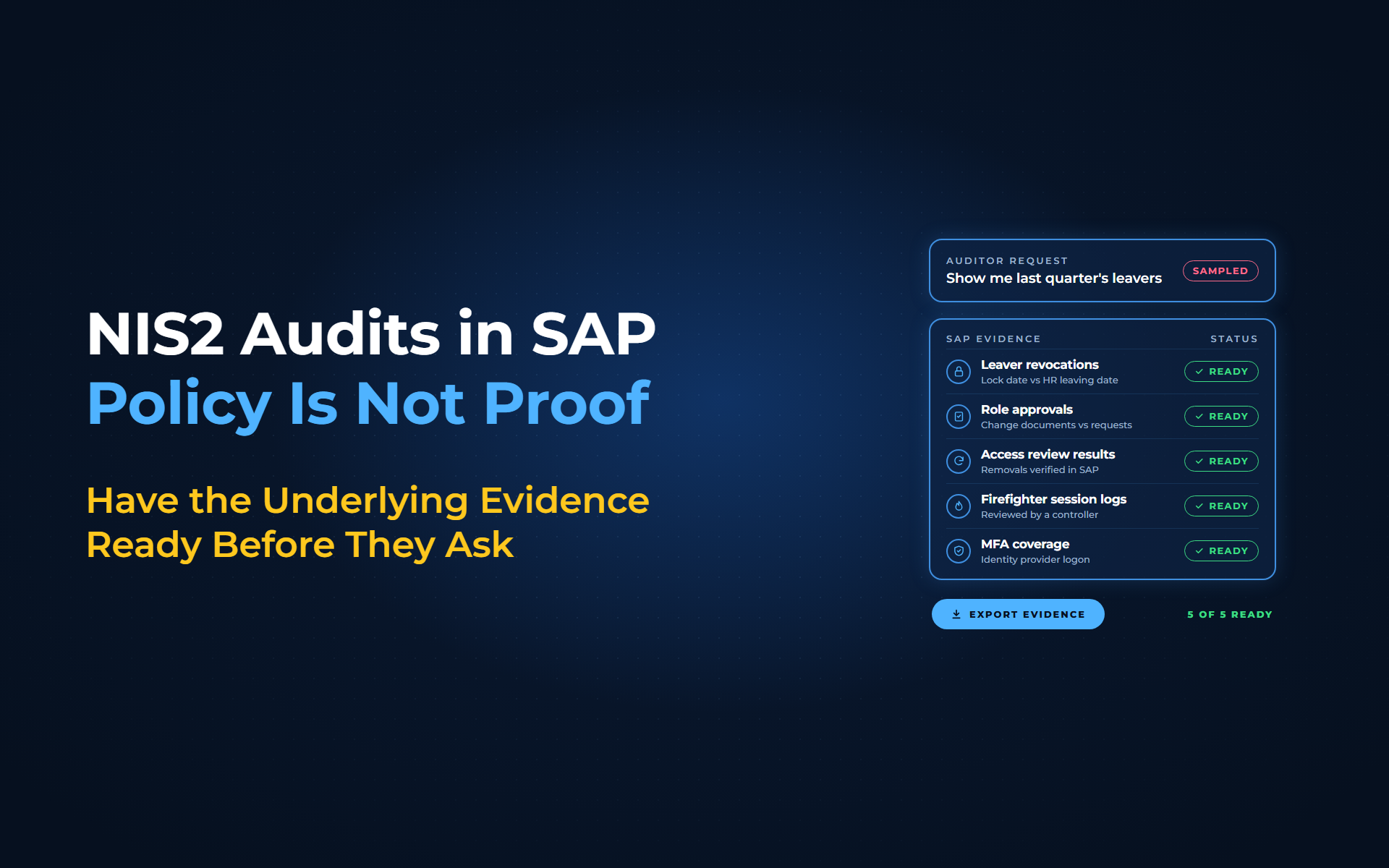
NIS2 makes management bodies answerable for cybersecurity and gives supervisors the power to ask for "the respective underlying evidence". For SAP teams, that means a signed access policy is no longer enough: auditors can sample the NIS2 SAP evidence behind it, such as leaver revocations, role approvals, access reviews and firefighter session logs. Last quarter's leavers are the likely first request. With Anugal, those records are written as access changes happen, so the answer is ready before the question arrives.
Why does NIS2 evidence matter to SAP teams?
Article 20 of Directive (EU) 2022/2555 says management bodies approve the cybersecurity risk-management measures, oversee their implementation and can be held liable for infringements. Supervisors of essential entities can run on-site inspections, random checks and security audits, and request documented policies with their underlying evidence (Art. 32). Important entities face the same request through ex post supervision (Art. 33). Article 34 sets maximum fines of at least €10 million or 2% of worldwide annual turnover for essential entities, and €7 million or 1.4% for important entities.
Article 21 sets the minimum measures, and 2 reach SAP access directly: point (i) covers "human resources security, access control policies and asset management", and point (j) covers multi-factor authentication "where appropriate". The detailed rules in Implementing Regulation (EU) 2024/2690 bind only the provider types listed in Article 21(5), such as cloud and managed service providers; other entities follow national law. For everyone else, the Annex and ENISA's evidence examples are a practical benchmark.
What NIS2 SAP evidence will auditors ask for?
In our reading of the Annex and ENISA's guidance, auditors can reasonably ask for 9 kinds of SAP record:
| Auditor asks for | Basis | Where it lives in SAP |
|---|---|---|
| Leavers and movers lost access in time | Annex 11.2.2(b); ENISA 10.3.2 | Lock status and last logon against the HR leaving date |
| An approval behind each role assignment | Annex 11.2.2(c), (e), (f) | Role-assignment change documents against requests |
| Documented access review results | Annex 11.2.3 | Decisions on a complete user extract, removals verified in SAP |
| SoD conflicts and their treatment | Annex 11.2.2(a) | SoD ruleset results, each conflict removed or mitigated |
| Privileged users and their review | Annex 11.3.1 to 11.3.3 | Users with critical authorisations, SAP_ALL and firefighter IDs |
| Technical and interface users | Annex 11.5.1, 11.5.2 | System and communication users, each with an owner and purpose |
| Emergency session logs, reviewed | ENISA 11.3.2 | Firefighter logs reviewed by an independent controller |
| Third-party access limited in time | Annex 11.2.2(d) | Vendor IDs with a validity end date set at creation |
| MFA coverage and rationale | Art. 21(2)(j); Annex 11.7.1 | Identity provider MFA for browser and single sign-on logon |
For each record, be ready to show how you produced the population: systems, clients, extract date and a reconciliation to the SAP user count.
Which SAP gaps will a sample expose?
4 SAP patterns cut against the Annex or ENISA:
- SAP_ALL on real users:
SAP says not to assign it to any user apart from 1 emergency user whose password stays in a safe, yet technical IDs often carry it too. - Shared accounts without approval:
Annex 11.5.3 allows them only with "an explicit approval process and documentation". - Unreviewed firefighter sessions:
The Annex asks for documented reviews of privileged access rights, and we recommend a signed review of each session. - Standing admin access:
ENISA advises granting temporary privileged access "only for the time necessary to implement approved changes or activities", not permanently.
Pick review intervals you can prove. ENISA suggests access reviews at least annually, and an annual cycle that ran on time is stronger evidence than a quarterly promise with 2 missed quarters.
When the auditor asks for NIS2 SAP evidence, what Anugal hands over
Anugal, the agentic identity governance and access orchestration platform from Business Core Solutions, writes each access decision made in Anugal to an append-only audit record as it happens. Here is what your team can hand over for 4 of the 9 requests:
- "Show me last quarter's leavers":
The HR leaving event triggers revocation across connected systems, and each removal links to the decision behind it, so you can hand over each leaver's HR leaving date next to the revocation time. Contractors outside the HR feed need their own trigger. - "Show me the approval behind this role":
Anugal evaluates eligibility, SoD and risk at request time, routes the approval to the application or role owner, and records who approved, under which policy and why. - "Prove the review happened":
Each review decision carries timestamp, reviewer and rationale, and each revocation links to proof it executed. Evidence packs generate on demand. - "Show me the firefighter sessions":
Emergency access is approved, time-bound and removed after use. Anugal records the session and the commands executed, then requires a post-use review, logged with reviewer and time.
Role changes made directly in SAP bypass Anugal, so your change-document check and SAP extract still prove the population and confirm the end state. Our team or a partner helps connect your SAP systems and set up the reports behind each request. Anugal helps support audit-ready evidence; your auditor and national authority still judge compliance.
See your SAP evidence trail
From signed policy to sampled proof
Map each Annex requirement to the SAP record that proves it, set intervals you can keep, and close the 4 gaps above before the sample finds them. To see that trail built from your own SAP data, let's get you a working demo, or write to info.anugal@businesscoresolutions.com.
NIS2 SAP evidence: common questions
What will auditors ask for when they check NIS2 compliance in SAP?
They can request records, not only the policy. Expect requests for leaver and mover revocations, approvals behind role assignments, documented access reviews, SoD conflicts and their treatment, privileged and technical users, firefighter session logs, third-party access limits and an MFA rationale tied to asset classification.
Does NIS2 require MFA for every SAP user?
No, not at EU level. Article 21(2)(j) says "where appropriate", and, for the providers it covers, Annex 11.7.1 of Regulation 2024/2690 ties MFA to asset classification. National law can be stricter (Article 5), and privileged accounts are the clearest case for MFA (Annex 11.3.2(a)).
Does Implementing Regulation 2024/2690 apply to my SAP estate?
Only if you are a provider type listed in Article 21(5), such as a cloud, data center or managed service provider. Other entities follow national law, and ENISA's guidance serves as a benchmark.
How often should we review SAP access under NIS2?
If Regulation 2024/2690 covers you, at the planned intervals your policy sets; otherwise check national law. ENISA suggests access reviews at least annually and identity reviews at least quarterly, or annually for micro-sized entities. Your records must show you kept the interval.
What fines apply if Article 21 measures fail?
Article 34 tells Member States to set maximum fines of at least €10 million or 2% of worldwide annual turnover for essential entities, and €7 million or 1.4% for important entities, whichever is higher.
Sources
- Directive (EU) 2022/2555 (NIS2), EUR-Lex (https://eur-lex.europa.eu/eli/dir/2022/2555/oj). Art. 5 (Member States may go further), Art. 20 management accountability, Art. 21(2)(i) and (j) access and MFA measures, Art. 21(5) scope of implementing acts, Art. 32 and 33 supervisory powers and evidence requests, Art. 34 fine levels.
- Directive (EU) 2022/2555, official Publications Office copy (https://publications.europa.eu/resource/cellar/9b84d482-85bd-11ed-9887-01aa75ed71a1.0006.03/DOC_1). The same Official Journal text in a machine-readable copy.
- Commission Implementing Regulation (EU) 2024/2690, EUR-Lex (https://eur-lex.europa.eu/eli/reg_impl/2024/2690/oj). Scope (provider types) and Annex points 11.2.2, 11.2.3, 11.3.1, 11.3.2(a), 11.3.3, 11.5.3, 11.5.4 and 11.7.1 cited in the table, gap list and review cadence.
- Implementing Regulation (EU) 2024/2690, official Publications Office copy (https://publications.europa.eu/resource/cellar/28f15de8-8ce9-11ef-a130-01aa75ed71a1.0006.03/DOC_1). The same Official Journal text in a machine-readable copy.
- ENISA, NIS2 Technical Implementation Guidance (publication page) (https://www.enisa.europa.eu/publications/nis2-technical-implementation-guidance). June 2025 publication date and the guidance's examples of evidence.
- ENISA, Technical implementation guidance, version 1.0 (PDF) (https://www.enisa.europa.eu/sites/default/files/2025-06/ENISA_Technical_implementation_guidance_on_cybersecurity_risk_management_measures_version_1.0.pdf). Non-binding status and the strict-supervision caveat, relevance to other bodies, examples of evidence (10.3.2, 11.3.1, 11.3.2), annual access review and quarterly identity review guidance, temporary privileged access advice.
- SAP Help, users by logon date and password change, RSUSR200 (older release) (https://help.sap.com/saphelp_snc70/helpdata/en/1e/478f40f3b19920e10000000a1550b0/content.htm). Last logon date, validity and lock status by user.
- SAP Help, indirect role assignment (older release) (https://help.sap.com/saphelp_em92/helpdata/en/92/e7623c28695c63e10000000a11405a/content.htm). Roles assigned through HR organizational management positions.
- SAP Help, users with critical authorizations (older release) (https://help.sap.com/saphelp_snc70/helpdata/en/f9/558f40f3b19920e10000000a1550b0/content.htm). SUIM report of users with critical authorizations.
- SAP Help, protecting standard users (older release) (https://help.sap.com/saphelp_em92/helpdata/en/4f/40d6d6ed6a2eb3e10000000a42189c/content.htm). Lock SAP*, DDIC and EARLYWATCH; check their status with RSUSR003.
- SAP Help, Security Monitor (older release) (https://help.sap.com/SAPhelp_nw73/helpdata/en/23/c9833b3bb1780fe10000000a11402f/content.htm). Security Audit Log events and its activation.
- SAP Help, AS ABAP user types (older release) (https://help.sap.com/SAPhelp_nw73/helpdata/en/e9/8b24b42425455b9dbe9e7573bdbc7c/content.htm). Dialog, system, communication, service and reference user types.
- SAP Help, SAP Single Sign-On Secure Login (older release) (https://help.sap.com/saphelp_em92/helpdata/en/7c/82ea543d864dacb24f371f6655dccd/content.htm). SNC lets users log on to SAP GUI without entering a user name and password.
- SAP Help, login profile parameters (older release) (https://help.sap.com/saphelp_nw73/helpdata/EN/4a/c3f18f8c352470e10000000a42189c/content.htm). login/disable_password_logon and login/password_logon_usergroup.
- SAP Help, change documents in SUIM (older release) (https://help.sap.com/saphelp_snc70/helpdata/en/90/c3e45b841f214ca32fcc17f7eb059e/content.htm). Change documents for users and for role assignments (RSSCD100_PFCG) in the user information system.
- SAP Learning, Monitoring the Emergency Access Session (https://learning.sap.com/courses/discovering-the-main-functionalities-of-sap-access-control/monitoring-the-emergency-access-session_ed466dd1-8d00-4989-aa3d-331e8bfbebe5). A firefighter controller reviews the actions performed in a firefight session.
- SAP KBA 2725213 (https://userapps.support.sap.com/sap/support/knowledge/en/2725213). Role-assignment change documents can return incomplete results.
- SAP Help, SAP_ALL profile (older release) (https://help.sap.com/saphelp_em92/helpdata/en/c3/312f7f596e4d75aad2eaa3471d740c/content.htm). SAP_ALL should not be assigned to users; SAP's exception is 1 emergency user with the password kept in a safe.
- SAP KBA 3017862 (https://userapps.support.sap.com/sap/support/knowledge/en/3017862). Technical user IDs often carry SAP_ALL.
- Anugal, Reports and Audit Trails (https://anugal.ai/reports-audit-trails/). Append-only audit records with approver, policy and SoD evaluation, timestamps and execution results; unified reporting across access, certifications, SoD and exceptions.
- Anugal, Approval & Access Control Engine (https://anugal.ai/approval-access-control-engine/). Eligibility, SoD and risk evaluated at request time; approvals routed to application, data or role owners; each approval records who approved, under which policy and why.
- Anugal, Joiner-Mover-Leaver Automation (https://anugal.ai/joiner-mover-leaver-jml-automation/). HR leaver events trigger revocation across systems; offboarding evidence generated automatically.
- Anugal, Audit-Ready Access Certification (https://anugal.ai/access-certification-audit-evidence/). Review decisions logged with timestamp, reviewer and rationale; revocation execution linked to each decision; system-generated evidence packs on demand.
- Anugal, Emergency Access (Firefighter) (https://anugal.ai/emergency-access-firefighter/). Approved, time-bound emergency access removed after use; session and command recording; mandatory post-use review.