

How Automated Mover Workflows Prevent Access Creep
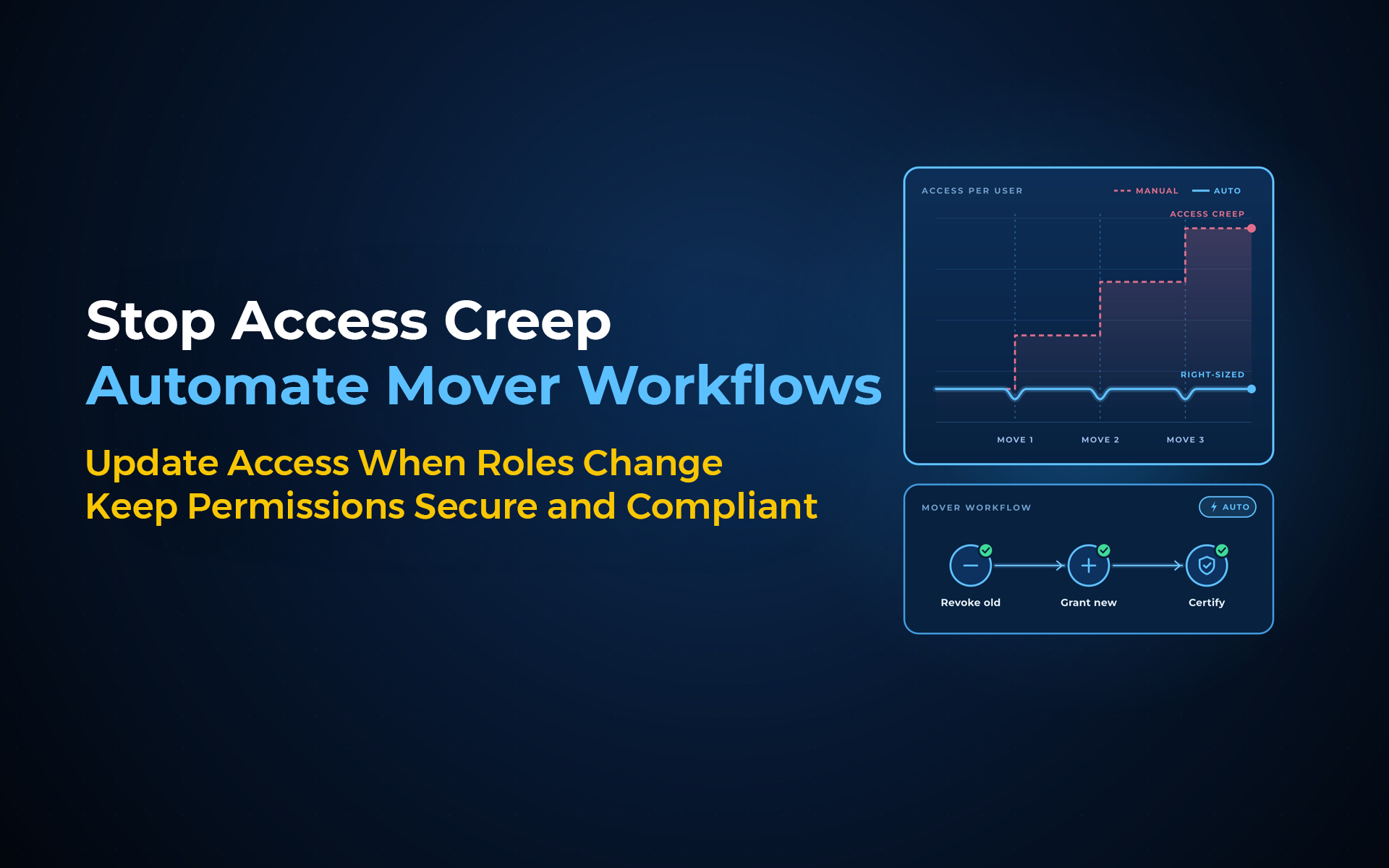
A department change takes one HR update. Access can still carry the history of every department the employee worked in before.
A mover workflow fixes that by recalculating the access profile instead of only adding the next set of permissions.
An automated mover workflow prevents access creep by treating a role change as a full access recalculation. It reads the updated workforce context, compares current access with new policy needs, removes outdated entitlements, provisions justified new access and records the result. The employee keeps what still fits the job and loses what no longer does.
The 1 question a mover workflow must answer
The core mover question is not 'What should we add?' It is 'What should this person have now?'
Consider Daniel, who moves from a regional sales role into a global account role. Some permissions still fit. Some need to expand. Others only made sense because he worked in one country or team.
A ticket-based process tends to focus on additions because additions block the new job. Old access does not create the same visible delay, so it survives.
4 actions turn a move into an access recalculation
A mover workflow needs four actions: recalculate, remove, add and record.
- Recalculate: read the new role, department, location and other approved workforce context.
- Remove: identify entitlements that no longer match the current responsibility.
- Add: provision access required by the new role after policy and approval checks.
- Record: capture the event, decision, removals, additions and execution status.
This order matters. If you start with additions, the workflow behaves like a normal access request. If you start with recalculation, you evaluate the person's full access position.
Why Europe puts 3 principles around access changes
Need-to-know, least privilege and separation of duties give mover decisions a clear control frame.
Commission Implementing Regulation (EU) 2024/2690 lists those three principles when assigning and revoking access rights for covered entities. It also calls for access rights to change when employment changes and for access-right management to be logged.
For identity teams, this points to an important design choice: do not wait for an annual review to react to a role change you already know about. Use the workforce event as the moment to reevaluate the access.
The United States: 4 maturity stages point toward trigger-driven access
CISA's zero-trust model treats automated lifecycle control as a maturity step, not a side feature.
CISA's Zero Trust Maturity Model uses four maturity stages: Traditional, Initial, Advanced and Optimal. The model contrasts manually configured lifecycles with increasing automation and, at the highest stage, automated just-in-time lifecycles driven by observed triggers.
A mover event is a practical place to apply that idea. The organisation already knows the person changed. The access process should use that signal.
The 4-action R-R-A-R Mover Framework
Use R-R-A-R: Recalculate, Remove, Add, Record.
- Recalculate the person's access need from current workforce data.
- Remove permissions tied only to the old role.
- Add access justified by the new role and approved policy.
- Record the entire decision and execution trail.
Good mover automation does not move permissions forward. It rebuilds access around the job the person has now.
4 mistakes that keep access creep alive
A mover workflow fails when it preserves history without asking whether history still has a business purpose.
- Using a "keep everything, then add" rule.
- Ignoring temporary transition access after the transition ends.
- Treating application owners as the first source of role-change information.
- Recording the policy decision but not verifying the target-system change.
Where Anugal fits
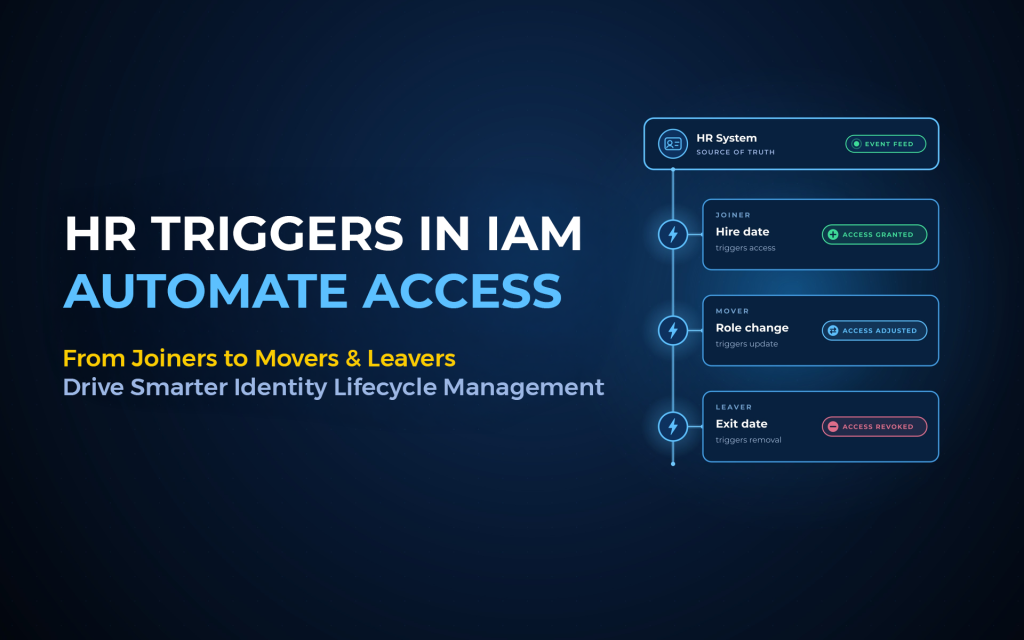
Anugal connects HR-driven joiner, mover and leaver events with governed identity actions. The workflow evaluates the workforce context and policy before access is created, changed or revoked, and records the lifecycle action.
That keeps the process practical: start with the workforce event, define the access decision, send the approved change to the target system, and retain evidence of what happened.
Frequently asked questions
What triggers a mover workflow?
A mover workflow starts when an authoritative source records a meaningful change such as role, department, location or position. The event should start reevaluation of existing access and new requirements.
Does mover automation remove all previous access?
No. It should keep access that still has a valid business need, remove access tied only to the old role and add access justified by the new role.
What if the employee needs old access for a handover?
Treat the old access as a controlled exception with an owner, reason and end date. Do not convert a short handover need into standing access.
Can periodic access reviews replace mover automation?
Periodic reviews help find drift, but they happen after the role change. A mover workflow uses the known employment event to correct access closer to the point of change.
How does Anugal support the mover flow?
Anugal states that mover events trigger access recalculation, removal of outdated access, provisioning of new access and logging of the change.
Next step
See how Anugal approaches automated mover governance.
Prefer a direct conversation? hello@businesscoresolutions.com
Website: https://anugal.ai/