

DORA for SAP teams · 7 min read
Why Firefighter Access in SAP Is Not an Exception Under DORA
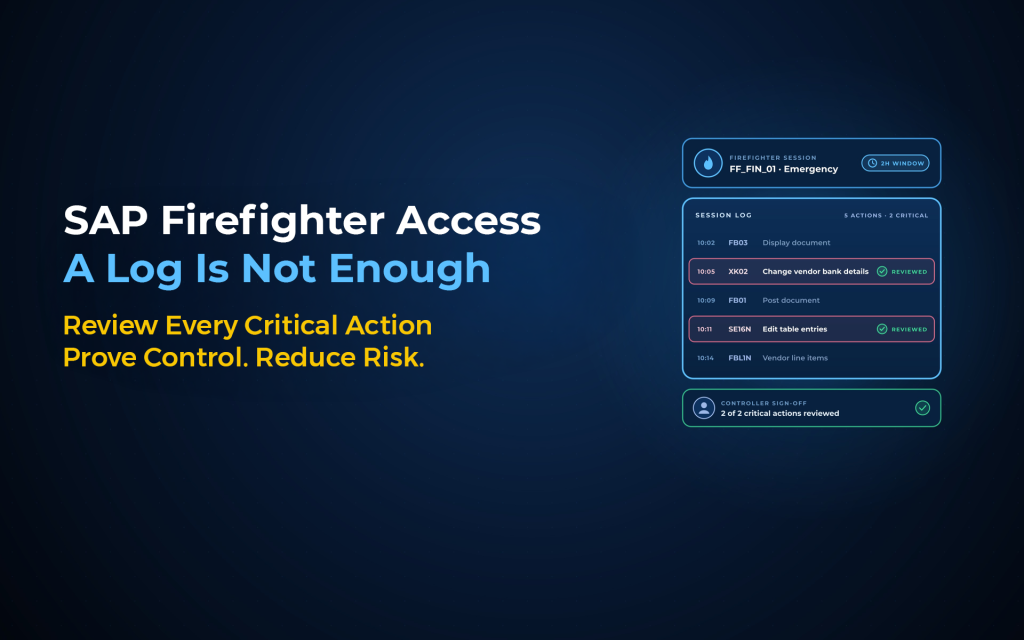
Firefighter access in SAP is not an exception under DORA, however often it is treated as one. DORA emergency access rules sit in Article 21 of the technical standard on ICT risk management, alongside every other access right. So when an auditor asks why a firefighter ID existed, who checked its session and when it ended, you need evidence. With Anugal working alongside SAP GRC EAM, every emergency elevation produces that evidence as it happens.
What do DORA emergency access rules require?
Commission Delegated Regulation (EU) 2024/1774 puts emergency access under the same access-control policy as every other access right. Article 21 sets 4 conditions that matter for firefighting:
- Need-to-use:
Point (a) bases access on "need-to-know, need-to-use and least privilege principles, including for remote and emergency access". - Ad-hoc assignment:
Point (e)(ii) requires "assignment of privileged, emergency, and administrator access on a need-to-use or an ad-hoc basis for all ICT systems". - Prompt withdrawal:
Point (e)(iii) requires "withdrawal of access rights without undue delay" once the access is no longer necessary. - Traceable users:
Point (c) limits "generic and shared user accounts" to the extent possible and requires that users are "identifiable for the actions performed in the ICT systems at all times".
Article 12 adds a duty to log events related to access control and identity management. DORA does not ban shared firefighter IDs, but a shared ID meets point (c) only while every session traces to a named firefighter.
SAP's ID-based firefighting, where users reach a Firefighter ID through the EAM Launchpad, gives you that attribution through the session record. Role-based firefighting uses a named user but mixes emergency and daily activity in 1 log.
Where do SAP firefighter set-ups fail?
In our view, set-ups fail in 3 patterns:
- Standing privilege in disguise:
Long validity periods on the same users turn a firefighter ID into standing access. - Logs nobody reads:
Reviews stall, and SAP states that with controller notification set to Log Display, "the system does not send automated e-mail notifications". - The wrong population:
Admins with standing privileged roles never need a firefighter ID, so the emergency process covers the wrong people.
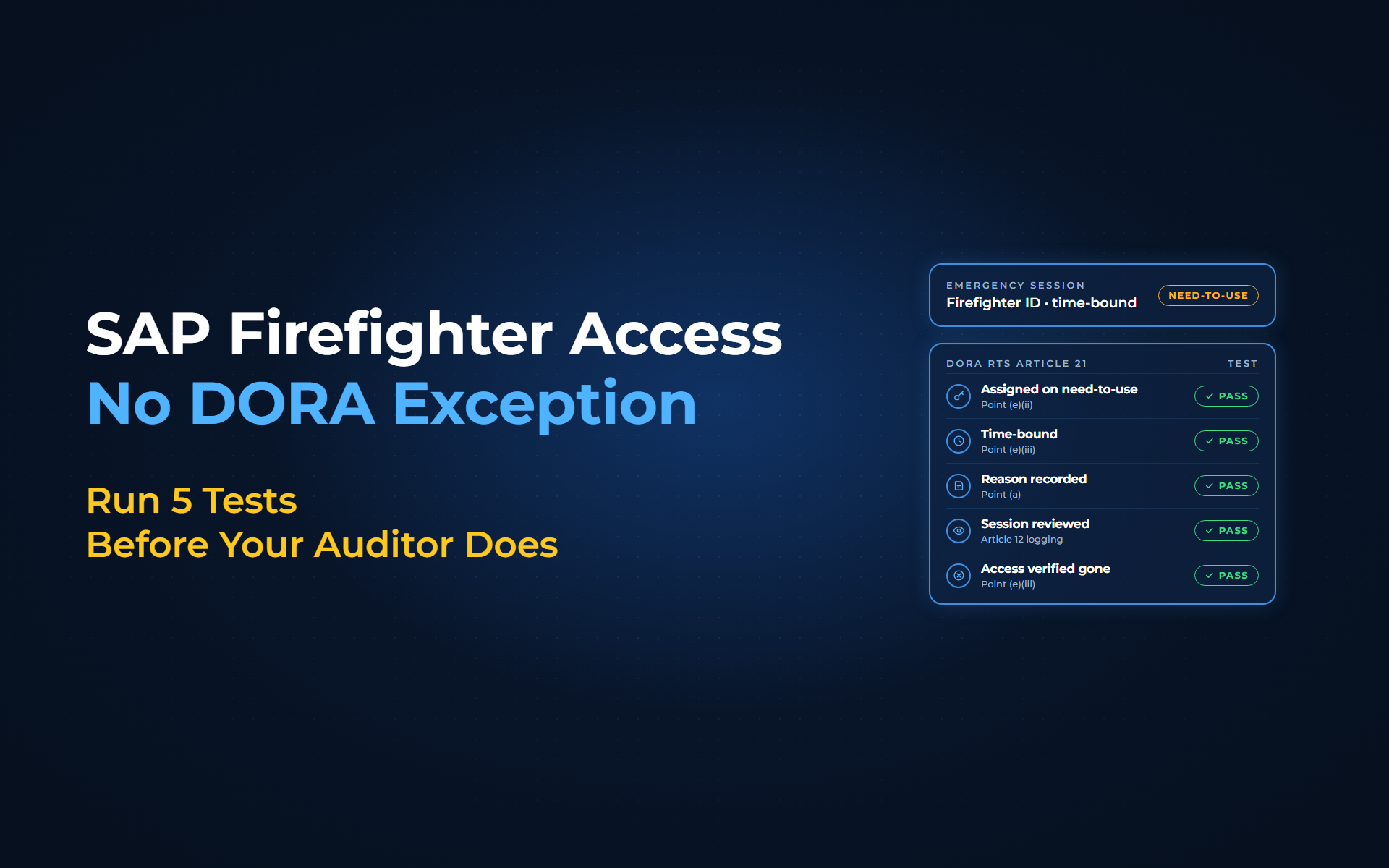
The 5 tests your firefighter process should pass, and how Anugal runs them
Each test maps to a point in the RTS; the tests are our checklist, not text from the regulation. With Anugal, the agentic identity governance and access orchestration platform from Business Core Solutions, each firefighter request runs as one governed process in our emergency access management, which integrates with SAP GRC EAM:
- Assigned on need-to-use, point (e)(ii):
Each assignment is approved per incident, not held as standing access. Anugal routes the request to the right owner and runs risk and policy checks before elevation; you decide each Firefighter ID's owner and requesters. - Time-bound, point (e)(iii):
No long-lived or repeatedly extended assignments. Anugal expires elevation automatically after the approved duration, and you set the durations. - Reason recorded, point (a):
The controller must be able to compare intent with what was done. Anugal compares activity with the approved purpose, and the justification is approved after the task completes. - Session reviewed independently, Article 12 logging:
The reviewer sits outside the firefighter's team and signs within agreed days. Anugal records the privileged session and the commands executed, summarises the activity against the approved purpose with sensitive transactions highlighted, and makes a post-use review mandatory. - Access verified gone, point (e)(iii):
No session left open and no assignment past its validity. Anugal removes access automatically after use, with proof of removal and closure; confirm it in SAP after the user master comparison.
Review Firefighter ID assignments on the same DORA clock as your other privileged access.
Keep the owner and controller roles with different people, split Firefighter IDs by area so none carries every authorisation, and put multi-factor authentication in front of the Launchpad, since point (f)(ii) calls for strong authentication on privileged access. Passwords, ID splitting and direct logons stay with your SAP role design and Security Audit Log.
What changes for your team
Your reviewer starts from a summary of the session instead of a raw log, and the owner approves against a stated purpose instead of a standing assignment.
For sessions that run through Anugal and SAP GRC EAM, Anugal generates the evidence automatically, which helps support audit-ready evidence under DORA; your auditor still judges compliance. Our team and partners help with the set-up. If your process already passes all 5 tests, keep it: the tests matter more than the tool.
Questions about firefighter access under DORA?
From standing firefighter IDs to provable emergency access
DORA emergency access rules do not ask you to slow down an emergency fix. They ask you to show that the access matched the need, traced to a person, ended on time and passed a named review.
Start with last quarter: pull every firefighter session, reconcile Firefighter ID logons in the SAP Security Audit Log against EAM sessions, and run the 5 tests on a sample. If you want to see a per-incident SAP elevation run end to end in Anugal, let's get you a working demo, or write to our team at info.anugal@businesscoresolutions.com.
DORA emergency access: common questions
Is SAP firefighter access an exception under DORA?
No. Article 21, point (a) of Delegated Regulation (EU) 2024/1774 covers access rights "including for remote and emergency access". Point (e)(ii) requires privileged, emergency and administrator access to be assigned on a need-to-use or an ad-hoc basis for all ICT systems.
Does DORA ban firefighter IDs?
No. Article 21 contemplates emergency access and sets the conditions for it. Firefighter access must be assigned on a need-to-use or ad-hoc basis, and it must be withdrawn without undue delay once it is no longer necessary.
Can several people share a single SAP firefighter ID under DORA?
DORA does not ban shared accounts, but it limits them to the extent possible. Article 21, point (c) asks you to limit generic and shared user accounts and to keep users identifiable for their actions at all times, so every session on a shared ID must trace to a named person.
Is a session log enough evidence under DORA?
No. Article 12 requires logging of access-control events, but Article 21 also requires need-to-use assignment and timely withdrawal. A log shows what happened during the session, not why the access existed, who reviewed it or when it ended.
Can a firefighter ID carry every authorization under DORA?
In our reading, it should not. Article 21, point (a) bases access rights on "need-to-know, need-to-use and least privilege principles, including for remote and emergency access", and point (b) targets "combinations of access rights that may be used to circumvent controls". Split firefighter IDs by area and document mitigating controls for known conflicts.
Sources
- Commission Delegated Regulation (EU) 2024/1774 (DORA RTS on ICT risk management) (https://eur-lex.europa.eu/eli/reg_del/2024/1774/oj). Supports Article 21, points (a), (b), (c), (e) (generic administrator accounts), (e)(ii), (e)(iii), (e)(iv) and (f)(ii), the dedicated-account clause, Article 20(2), point (a), Article 12 logging, Article 23(1) and (2), point (a)(i), and Article 33 for entities on the simplified framework in Title III.
- SAP, Configuration: Emergency Access Management for SAP Access Control 12.0 (SP31 edition, dated 2025-09-23) (https://help.sap.com/doc/759acdedc98b4997bbba4f9fb15c9b1a/12.0.31/en-US/loio8354d295b56443c1aea86223a78565cf_en.pdf). Supports the Firefighter ID, owner and controller definitions, ID-based and role-based firefighting, the Launchpad, parameter 4001 and validity extensions, reason codes (ID-based chapter), the Log Display and log report workflow notification options, and the Firefighter Log Synch job.
- SAP Help, Comparing User Master Records (SAP Library, older release: SNC 7.0) (https://help.sap.com/saphelp_snc70/helpdata/en/52/6711ec439b11d1896f0000e8322d00/content.htm). Older-release page; the current Help Portal could not be read by script, so check the behavior in your own release. Supports the daily user master comparison: report PFCG_TIME_DEPENDENCY, started from transaction PFUD, deletes profiles that are no longer current from user master records.
- Anugal, Emergency Access (Firefighter) product page (https://anugal.ai/emergency-access-firefighter/). Source for the section "The 5 tests, run in Anugal": owner routing, risk and policy checks before elevation, expiry after the approved duration, scoping to specific systems or roles, no standing administrator accounts, recording of privileged sessions and commands, mandatory post-use review, approval of justification after the task, automatic removal after use, proof of removal and closure, and automatic generation of audit-ready evidence.
- PR Newswire, "Anugal Brings Agentic AI Into Enterprise Identity Governance and Access Decisions" (October 12, 2026) (https://www.prnewswire.com/news-releases/anugal-brings-agentic-ai-into-enterprise-identity-governance-and-access-decisions-302905593.html). Source for the activity summary compared with the approved purpose and the highlighting of sensitive transactions.
- Anugal, "Agentic AI for IGA: Anugal in Microsoft Teams" (https://anugal.ai/agentic-ai-iga-microsoft-teams/). Supports the AI boundary: in firefighter access reviews, Agentic AI supports follow-up questions "while leaving the accountable decision with the reviewer".
- SAP Help, Security Monitor (SAP Library, older release: SAP NetWeaver 7.3) (https://help.sap.com/saphelp_nw73/helpdata/en/23/c9833b3bb1780fe10000000a11402f/content.htm). Older-release page; check the logon-event audit classes in your own release. Supports the SAP Security Audit Log as the record of system logon events.